NinjaTech AI • Shipped 2024
Making Autonomous AI Feel Simple
Designing how anyone can build software, dashboards, and automated workflows through natural language, from first prompt to deployed product.

Create slides
Build website
Develop apps
Role
Product Designer
Duration
Oct 2023 - Present
Team



Context
NinjaTech AI is building SuperNinja, an autonomous AI agent with its own virtual machine that lets anyone build software through natural language.
I joined as product designer to shape the core experience from the ground up. The challenge: making powerful autonomous AI feel simple enough for anyone to use, while keeping the agent's work visible and trustworthy.
Over two years, we designed the end-to-end task flow, built a scalable design system, and shipped features that drove adoption across research, coding, and automation use cases.
Key flows
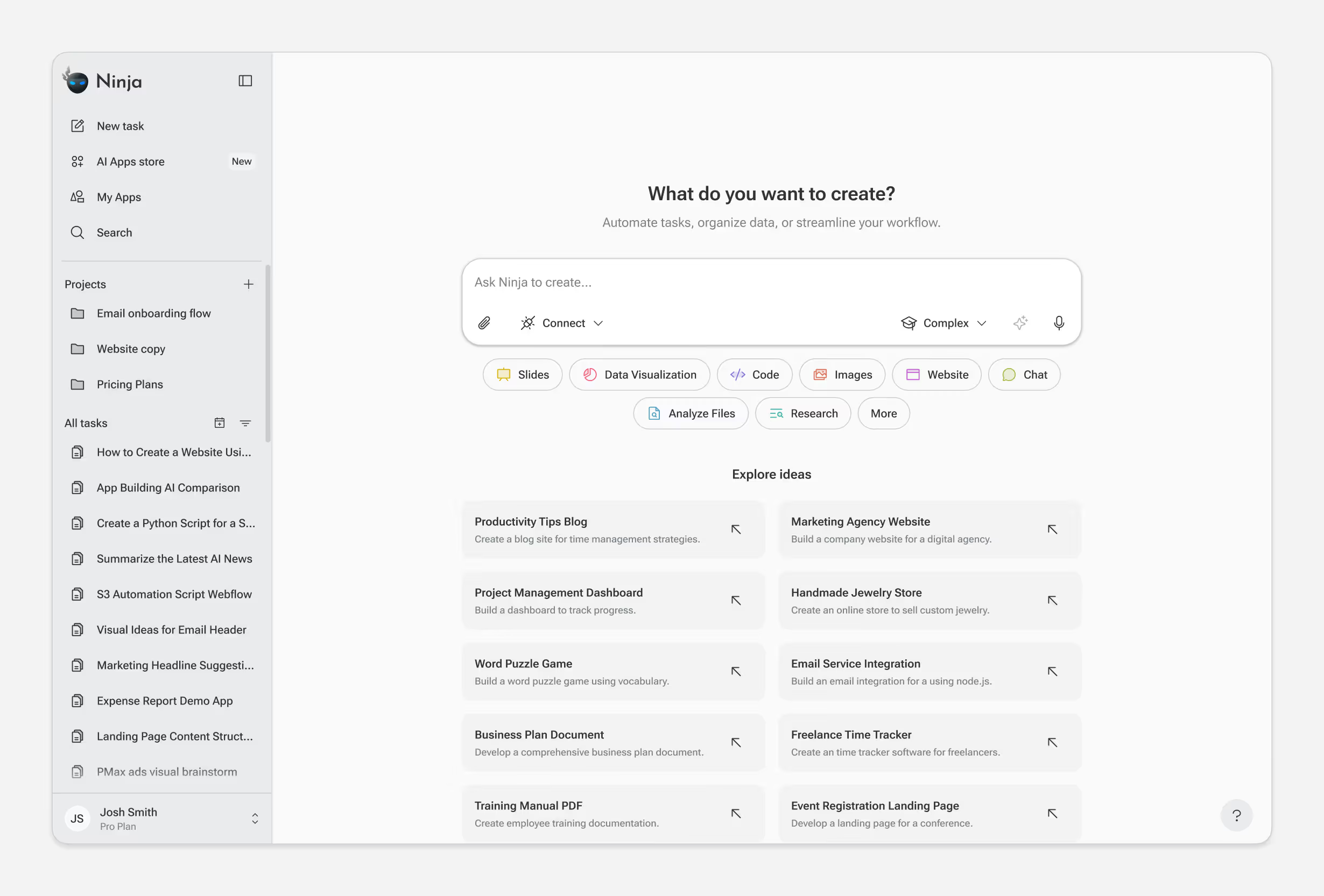
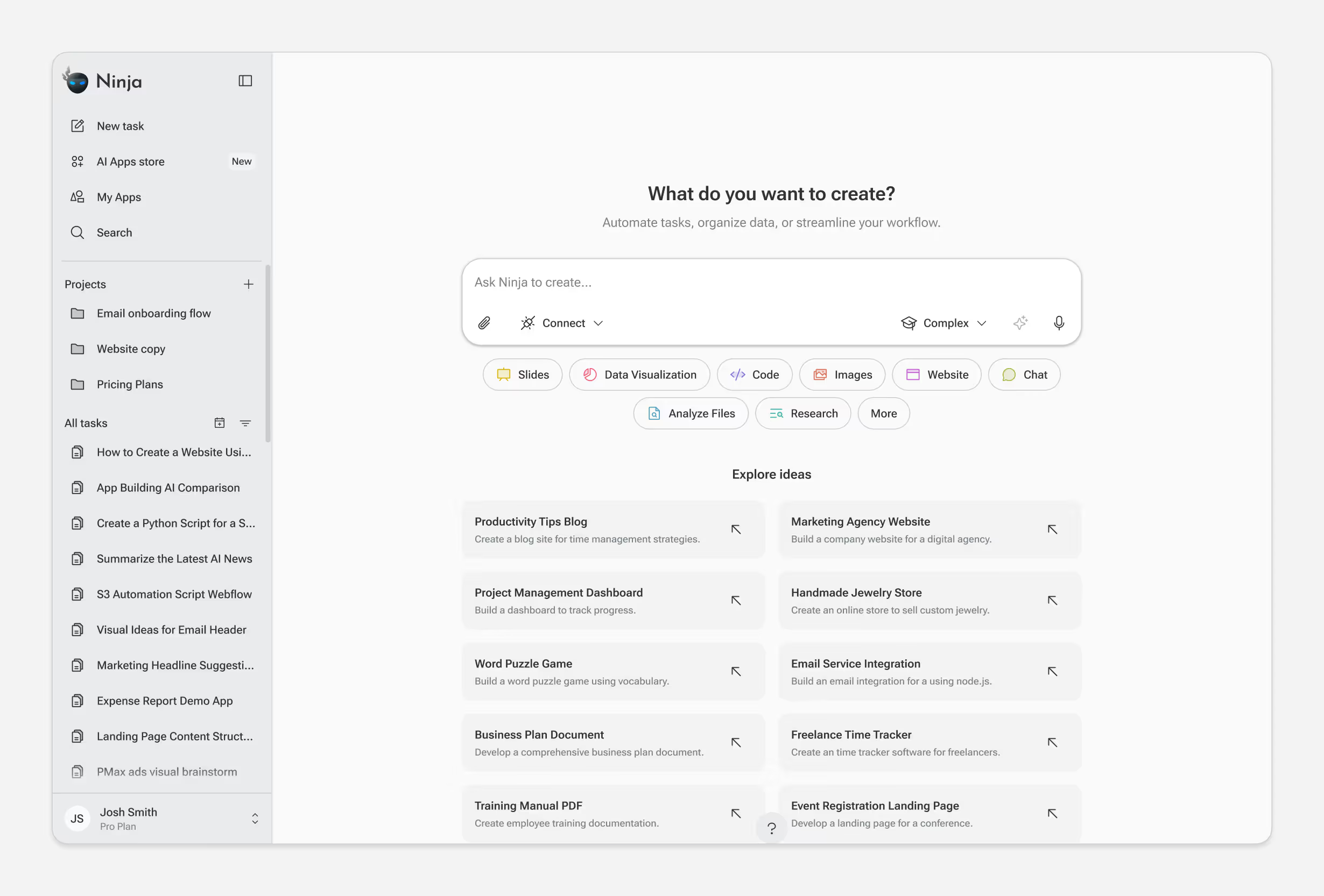
Prompt Input & Mode Selection
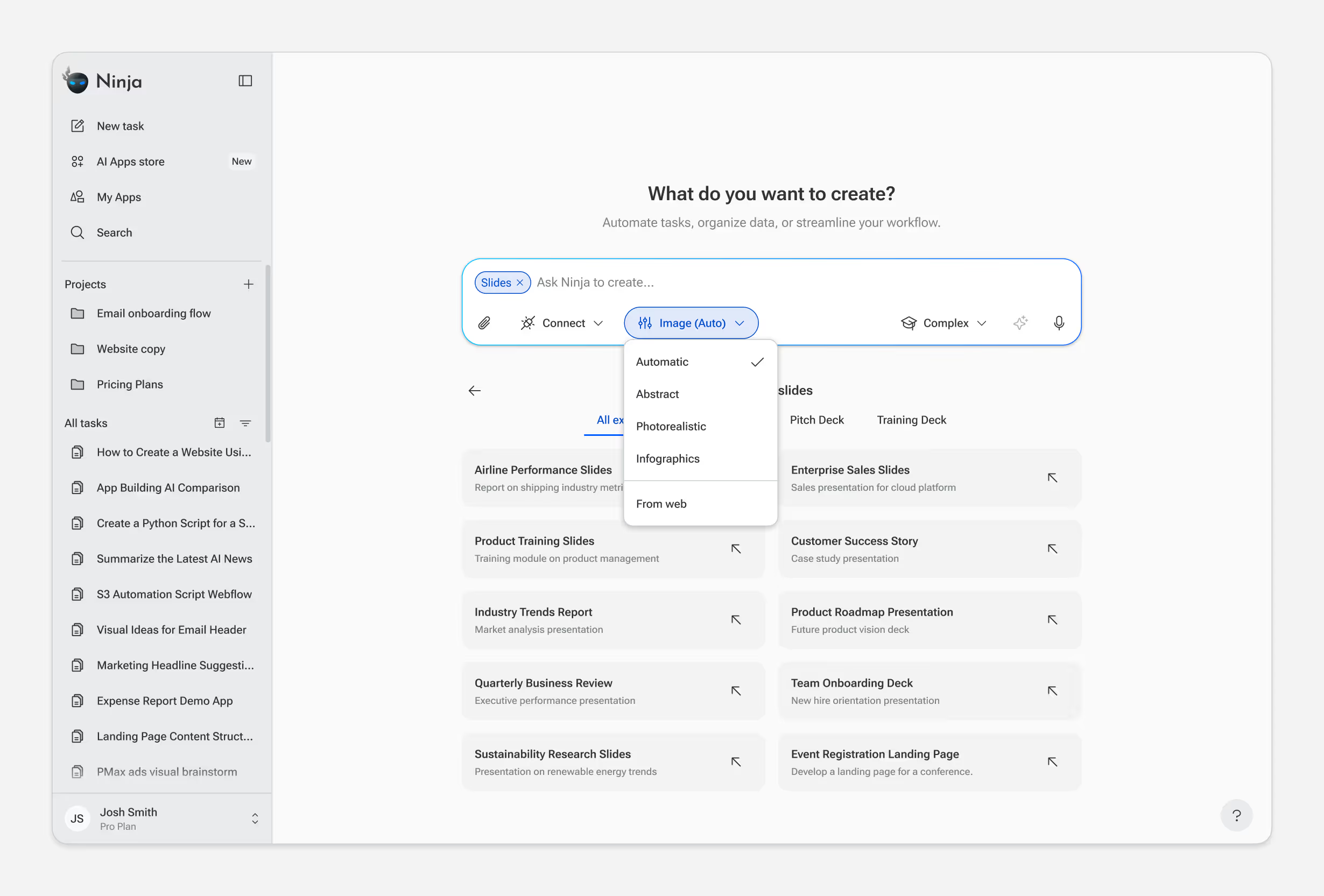
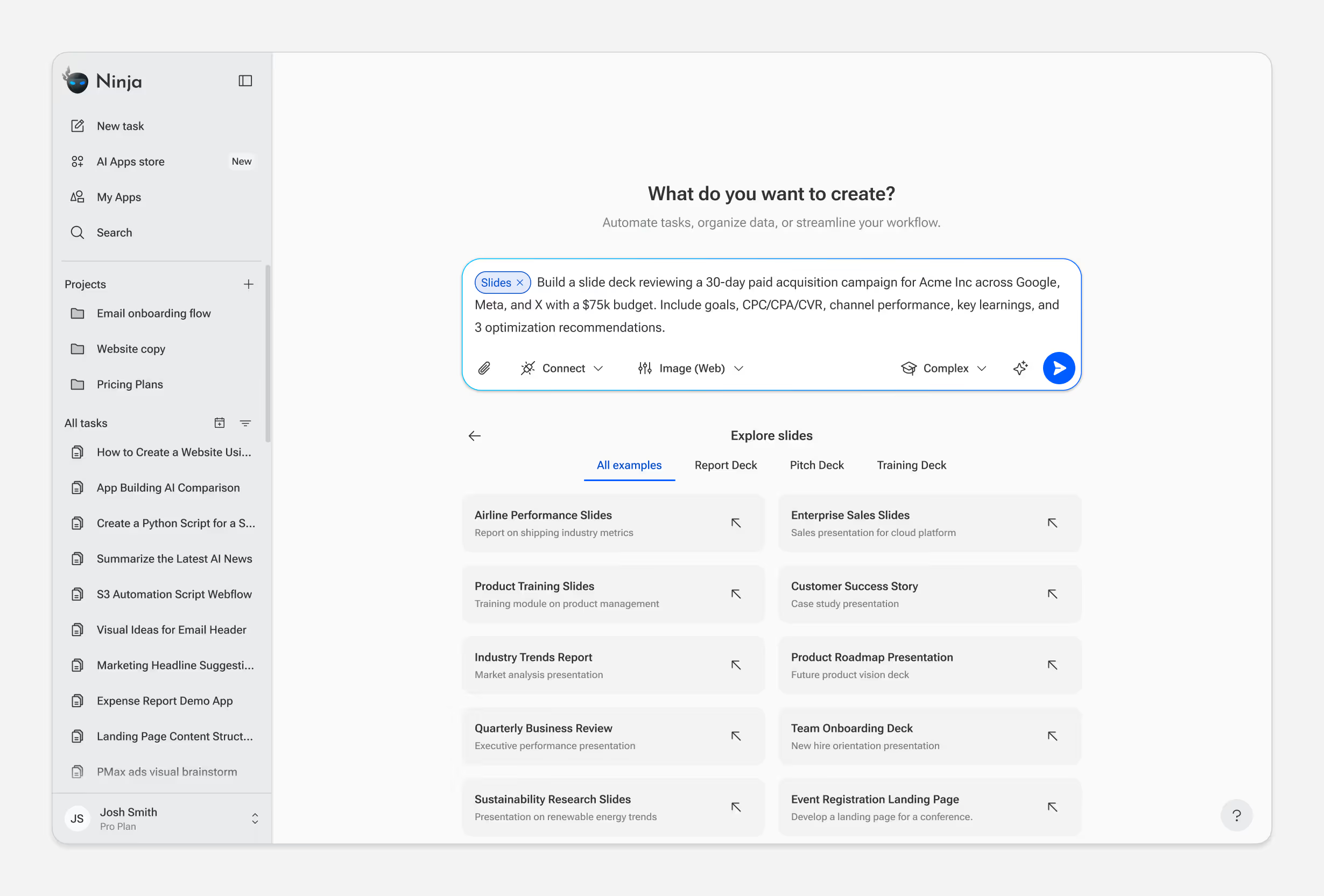
Every interaction starts with a prompt — but not all tasks are equal. Users can choose between Fast, Standard, and Complex modes or any AI model depending on the skill selected and their needs.
The design question: how do we expose this choice without adding friction? Early versions required users to select a mode before typing. But most users didn't know which mode they needed until they described their task. We moved mode selection to a secondary position, letting users type first and adjust if needed. Default mode handles 80% of cases; power users can override.
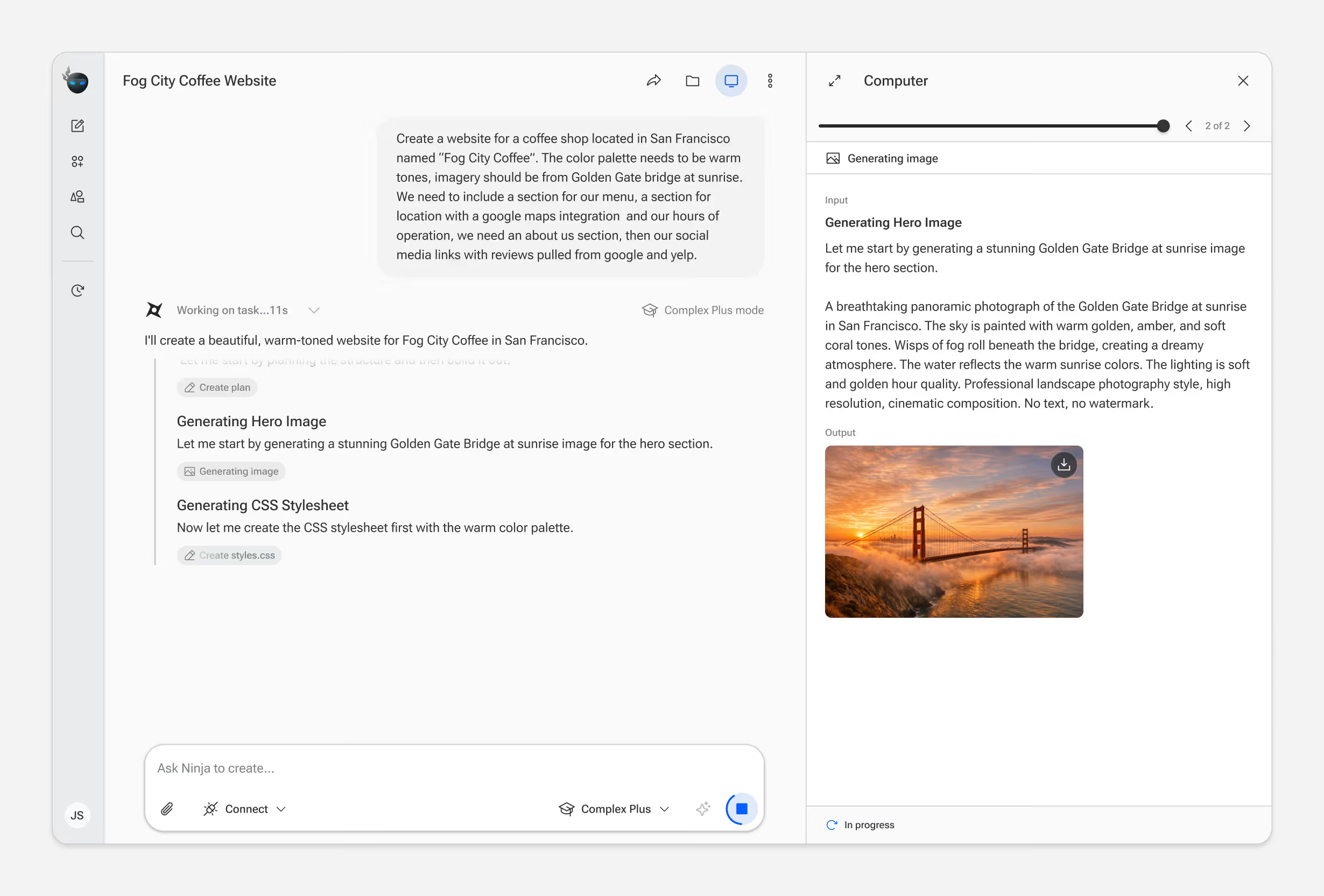
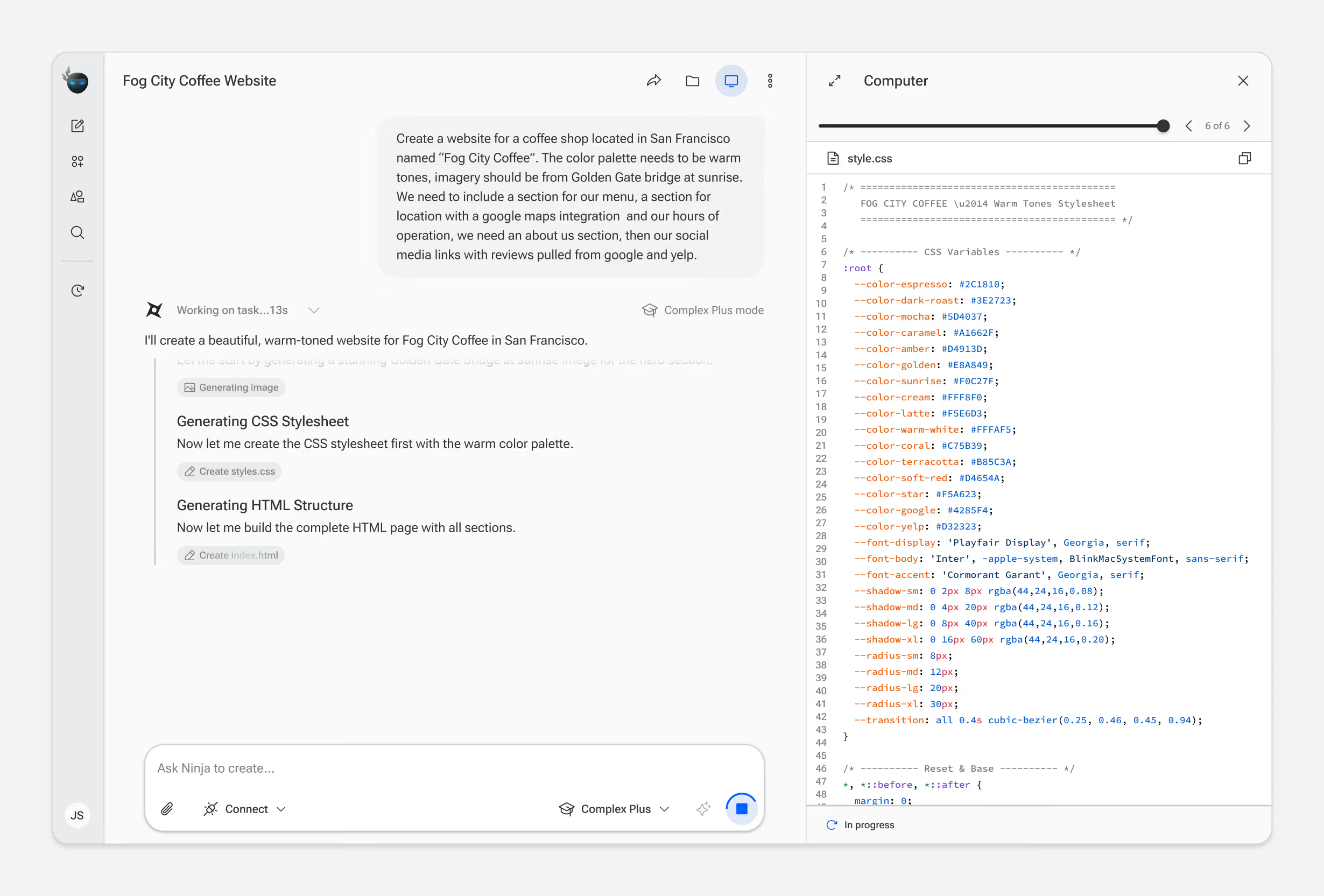
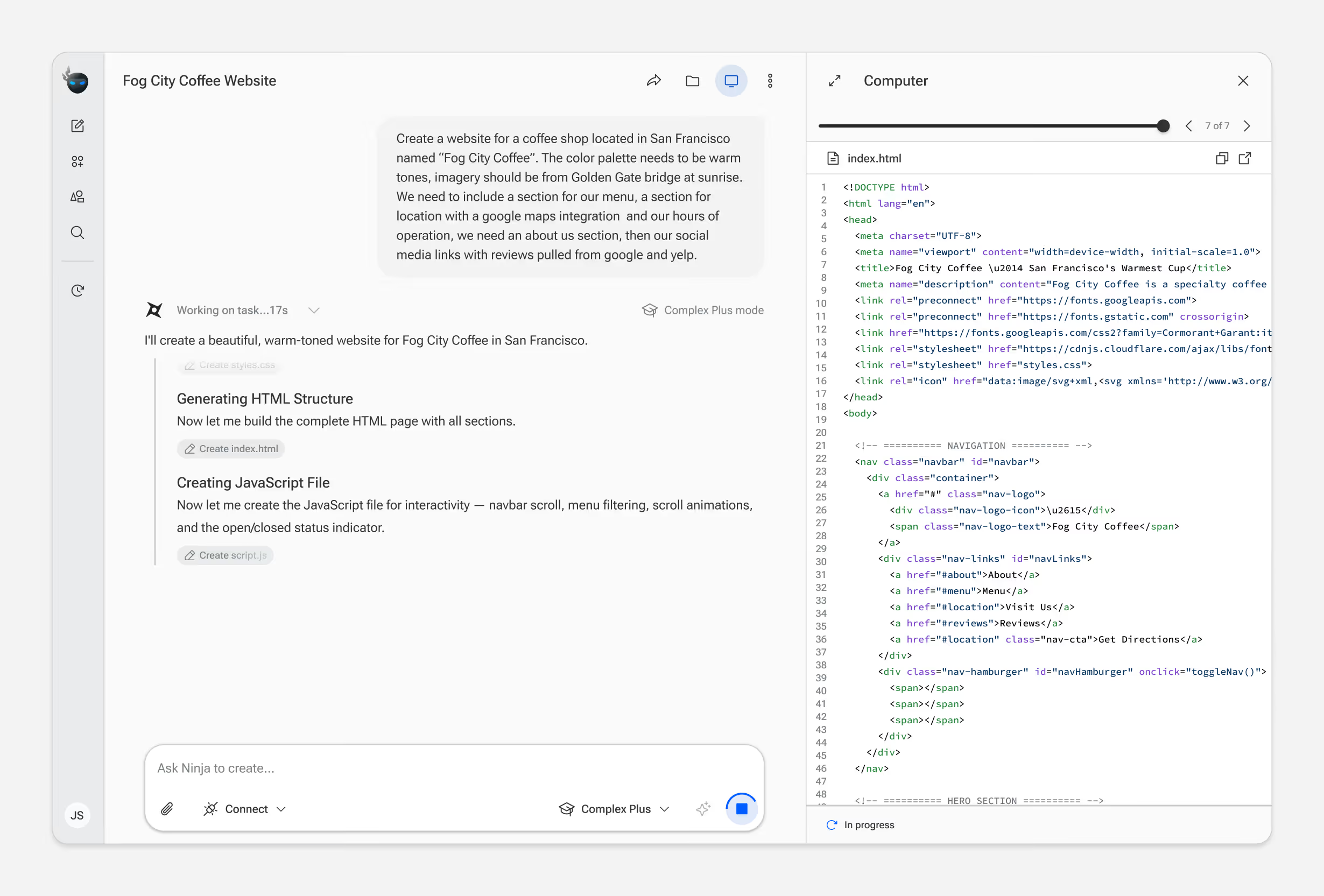
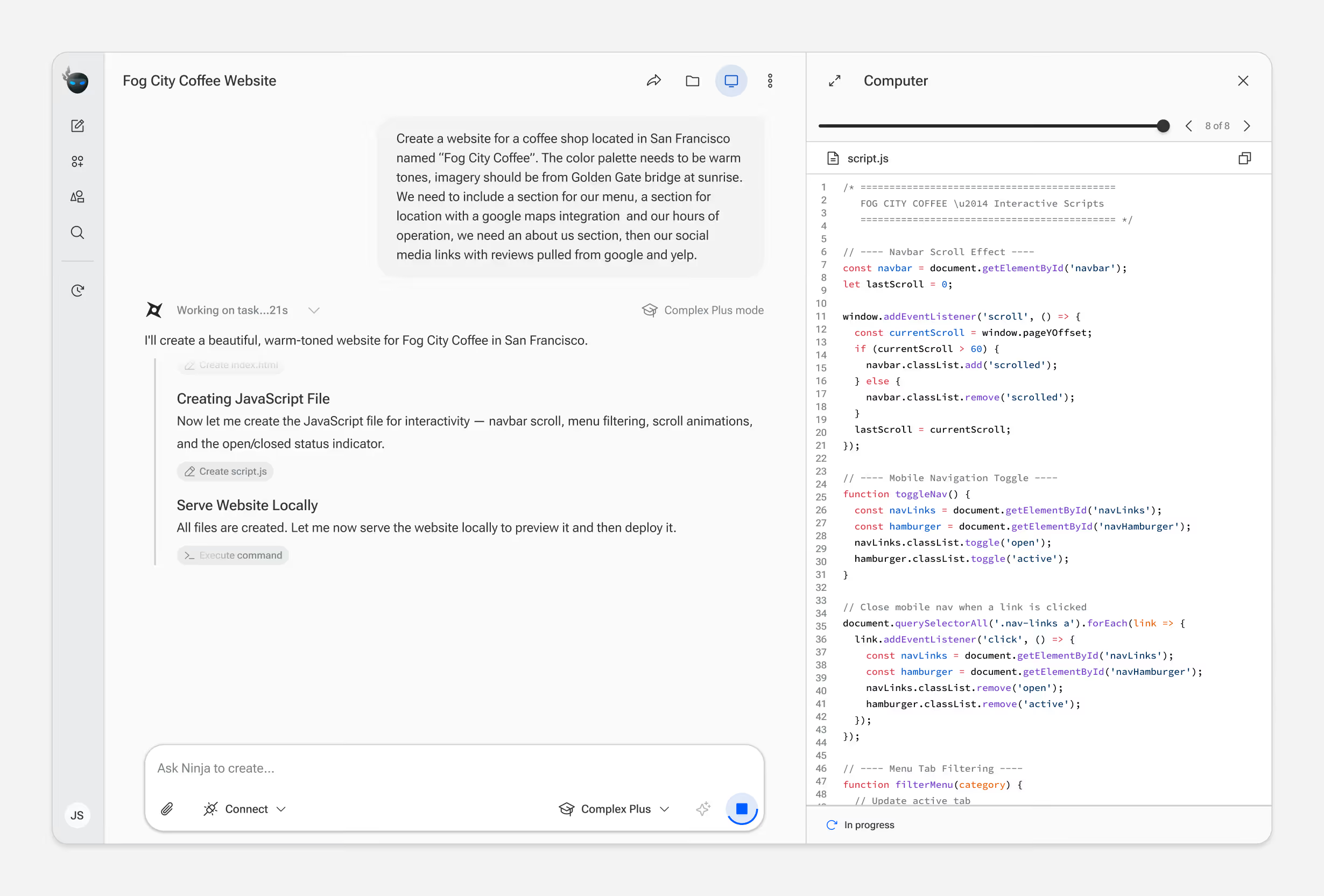
Virtual Computer View
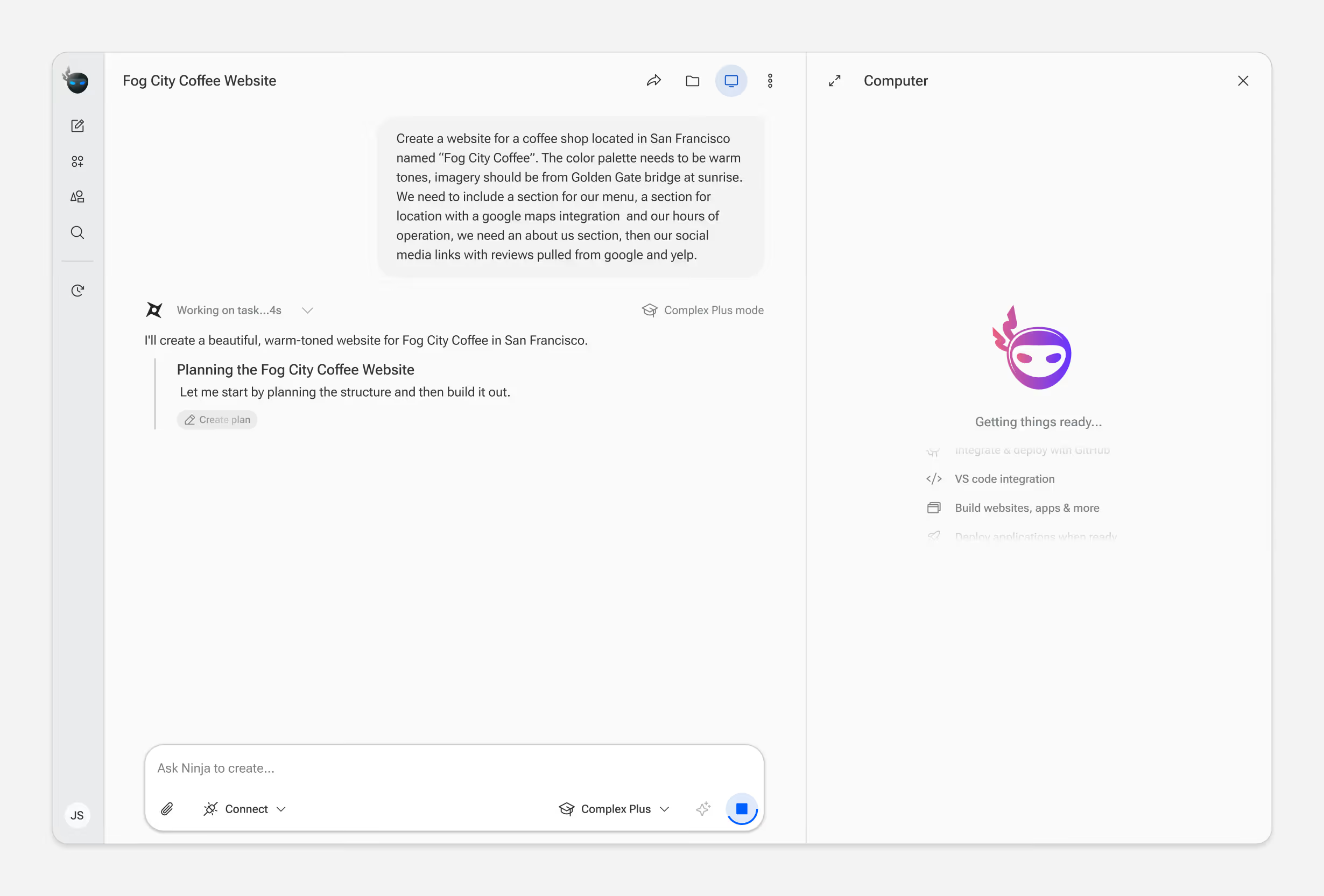
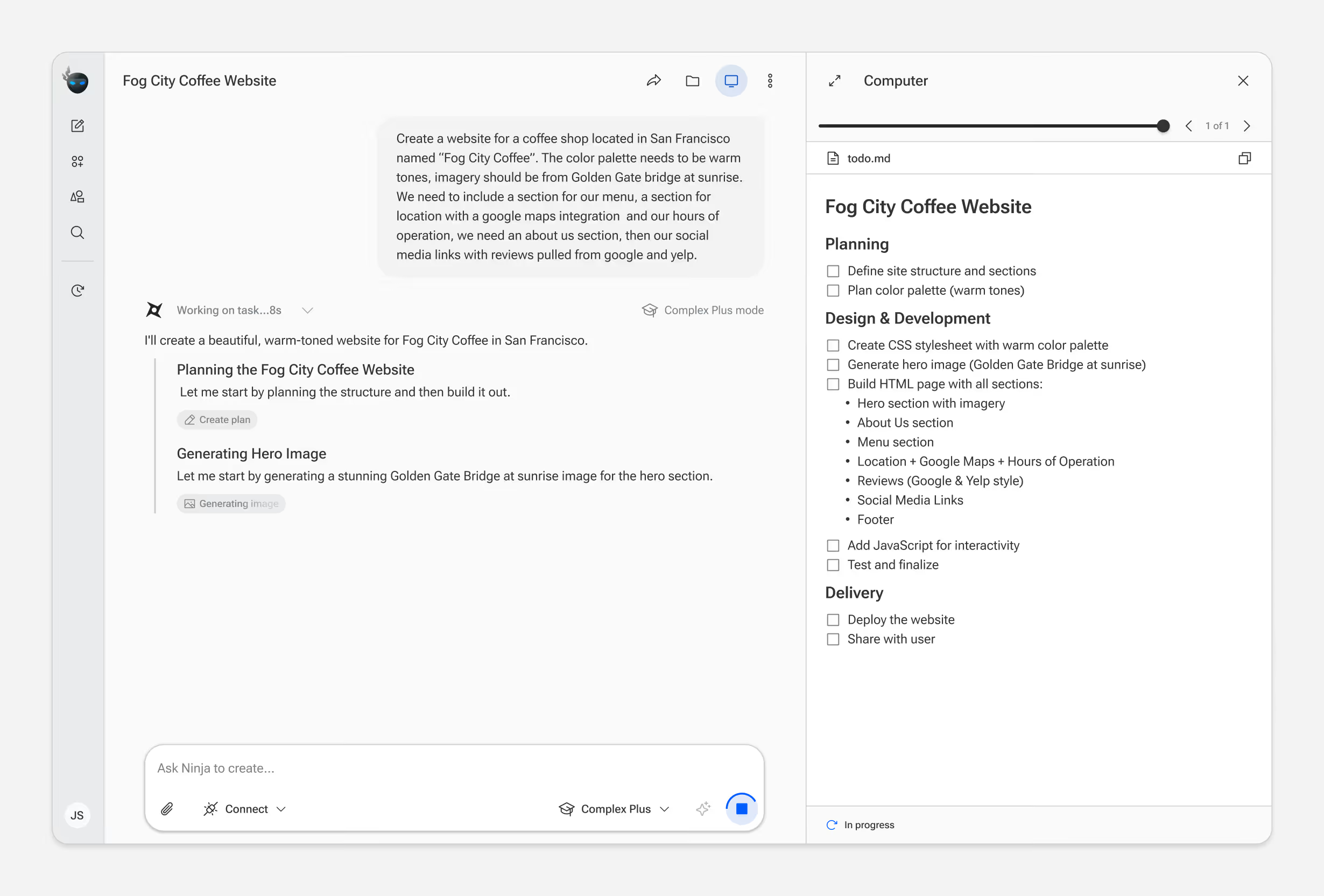
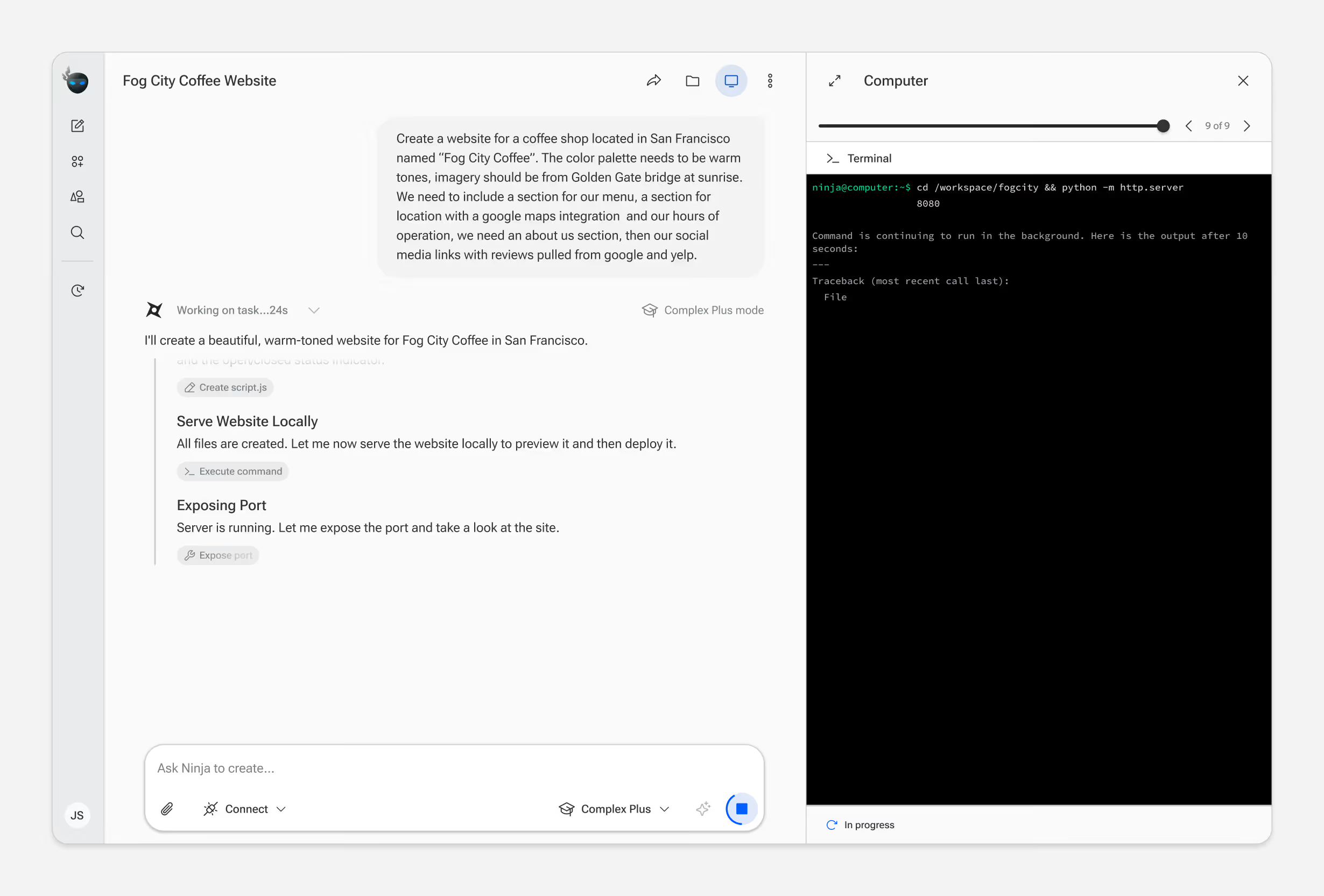
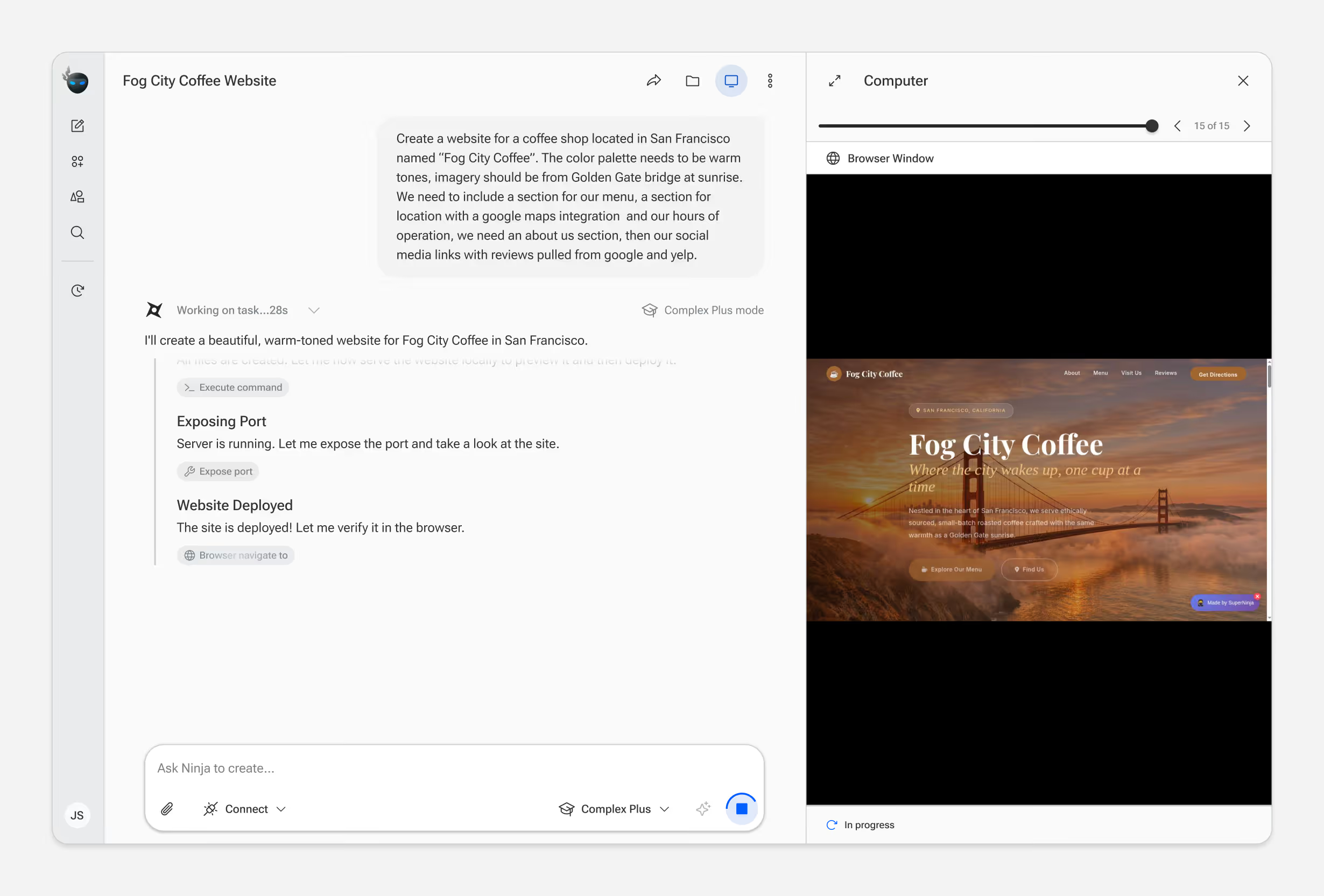
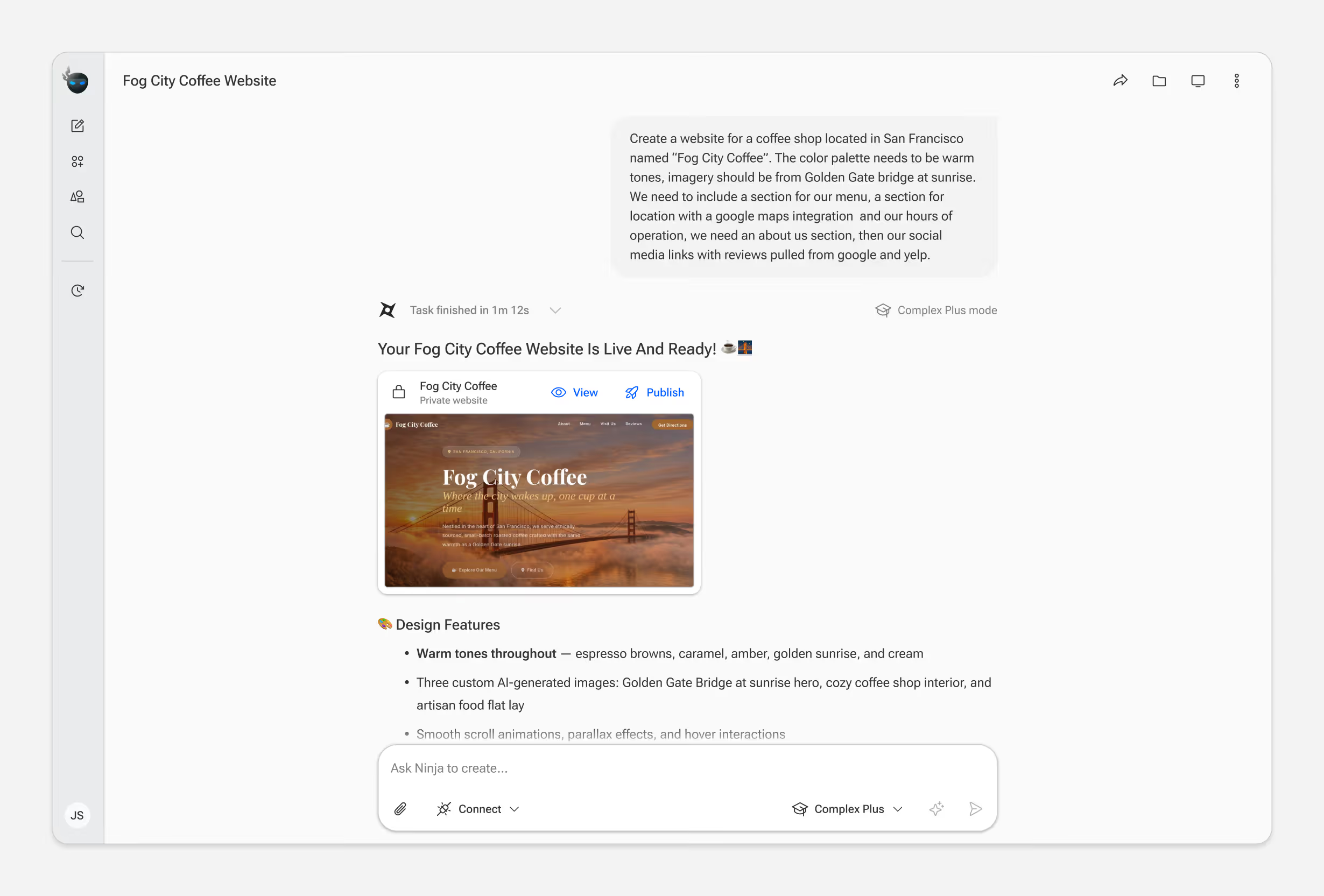
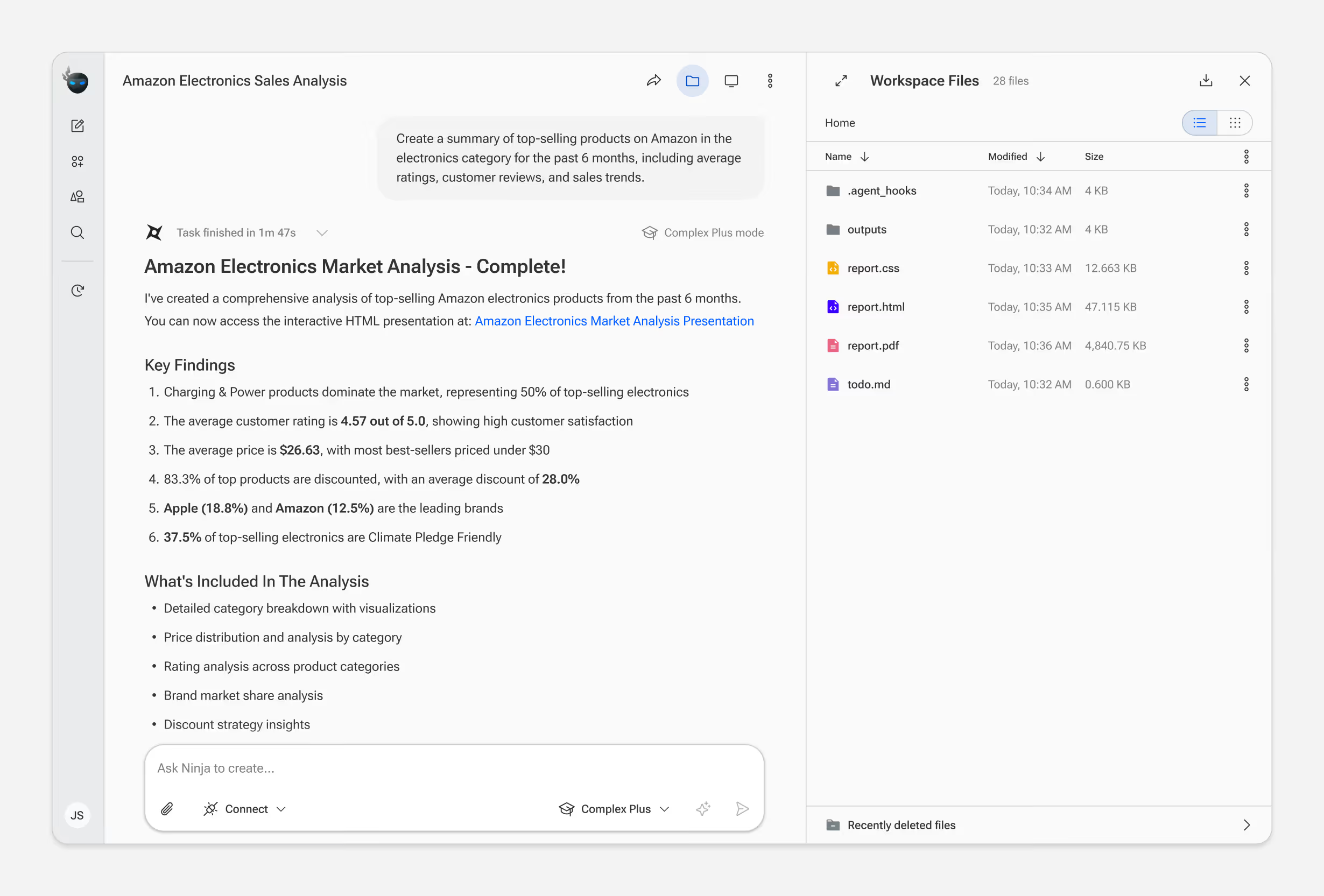
Unlike chat-based AI tools, every SuperNinja task runs in a real virtual machine. Users can watch the agent browse, code, and execute commands in real time.
This transparency was a core product decision — it builds trust. But showing everything risks overwhelming users who don't need that detail. We landed on a layered approach: a summarized status bar by default, with the option to expand into the full VM view.
Connecting External Data
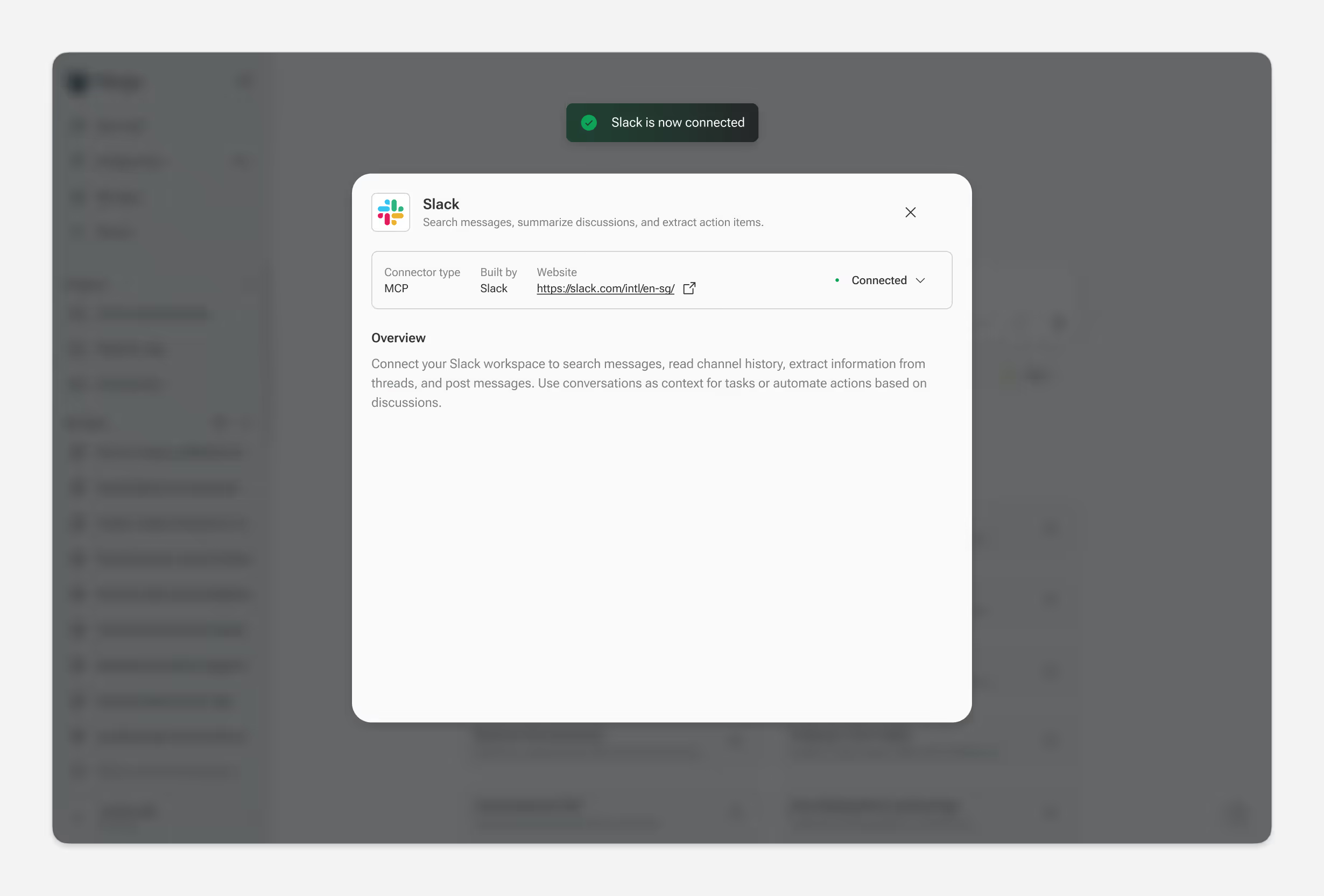
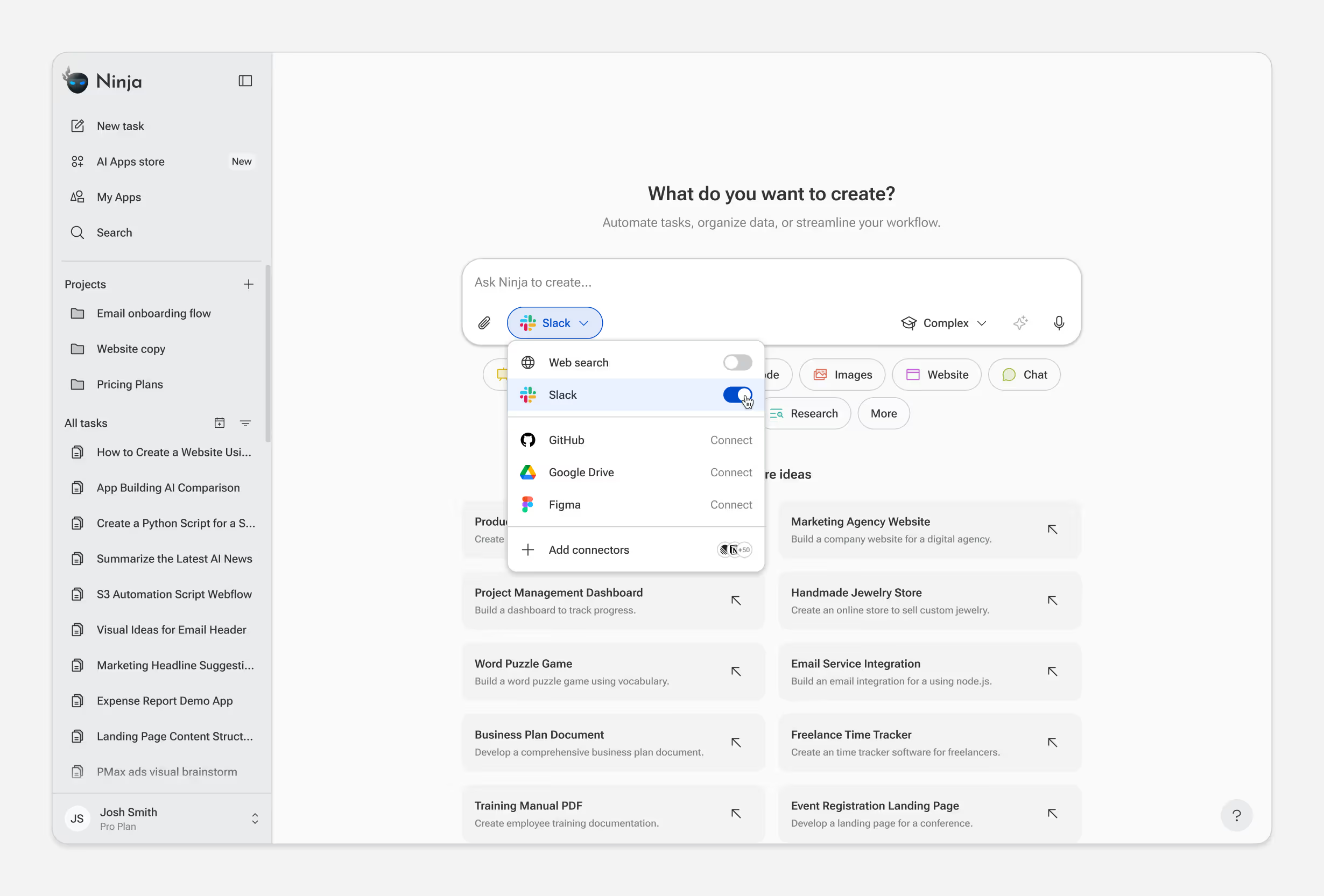
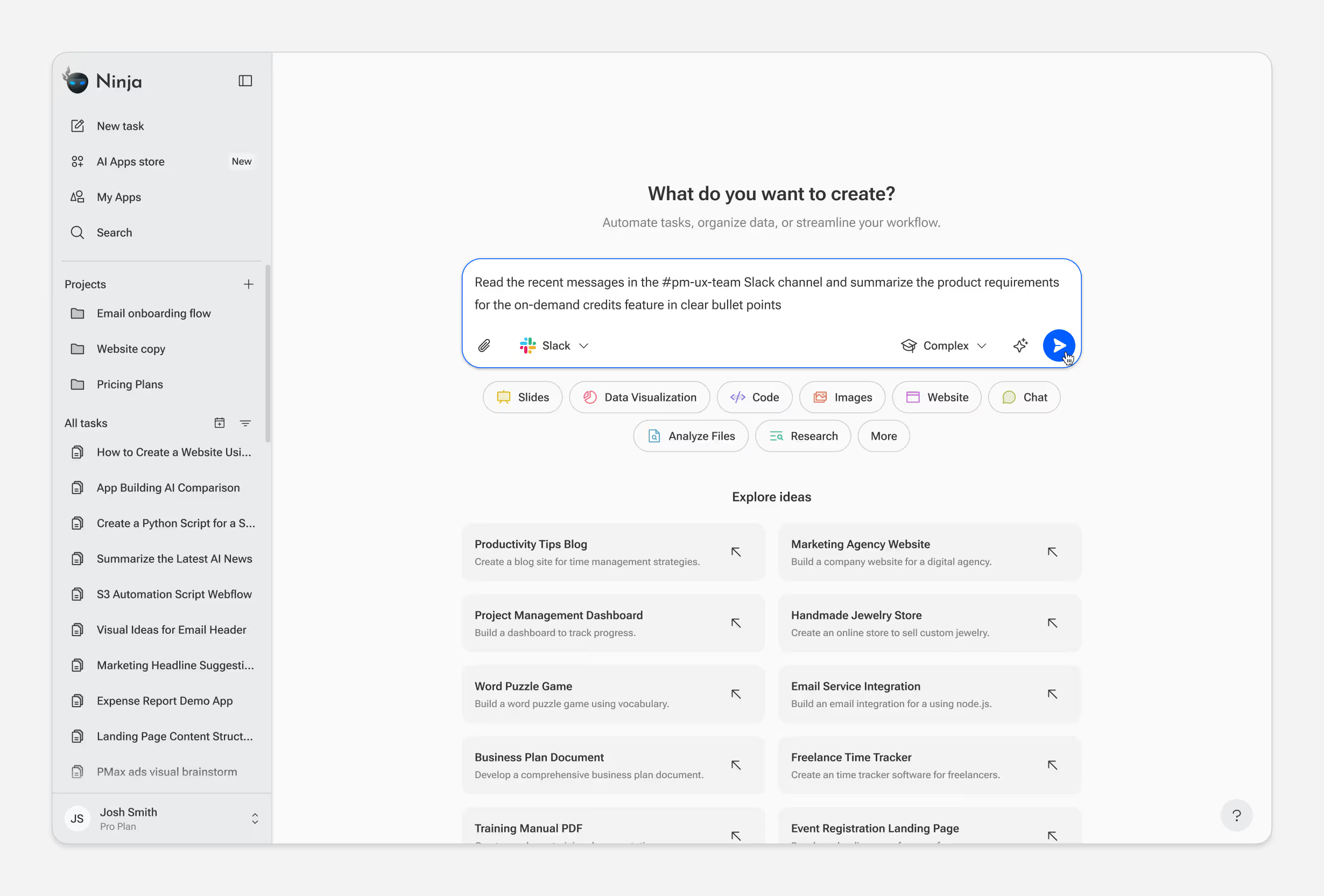
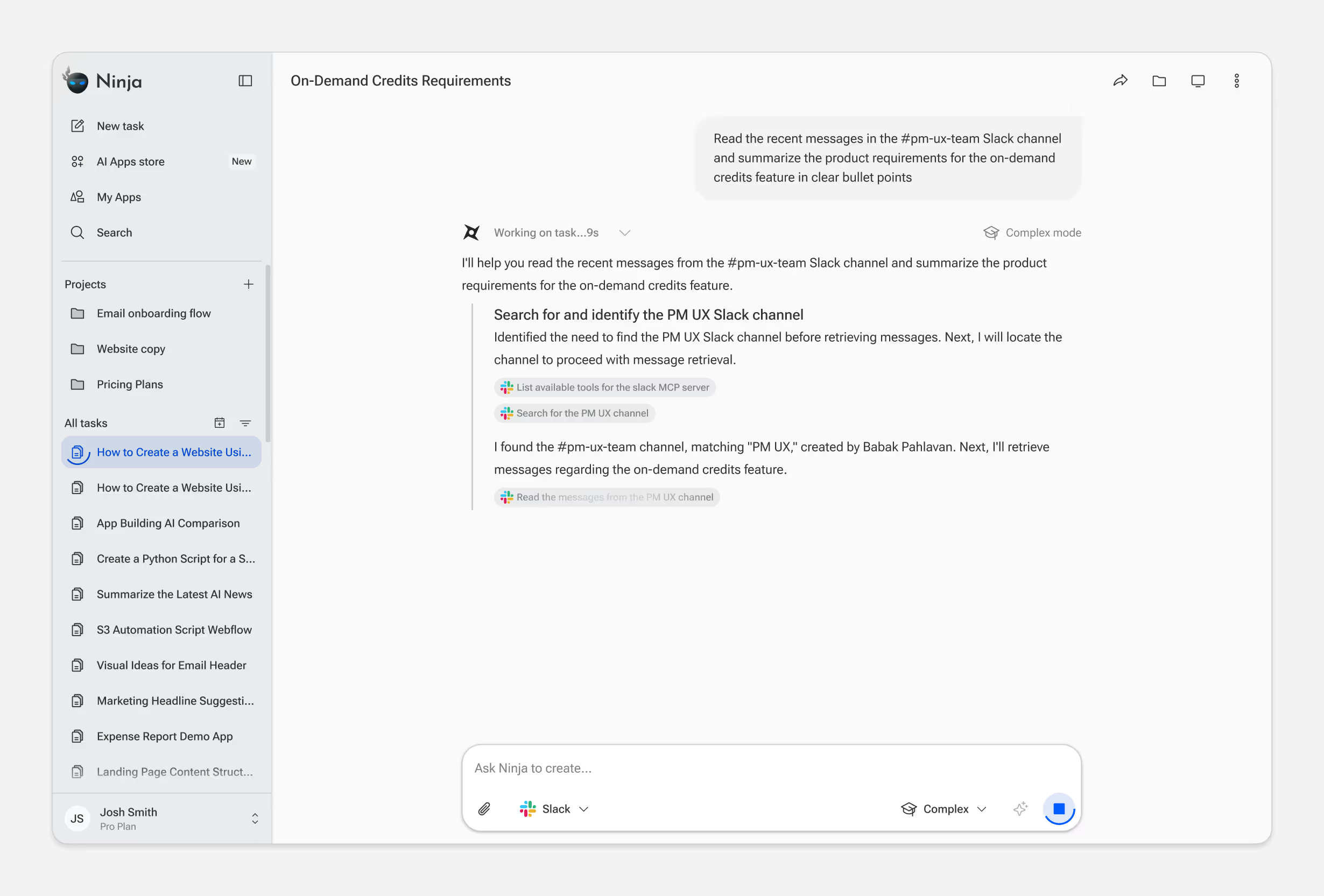
SuperNinja connects to external tools and data sources through MCP, GitHub, Slack, Google Drive, Notion, and more. Once connected, the agent can pull live data into tasks automatically.
The design challenge was making a technical capability feel effortless. Users browse available connectors, authenticate, and the source is available immediately. During task execution, an indicator shows which sources the agent accessed.
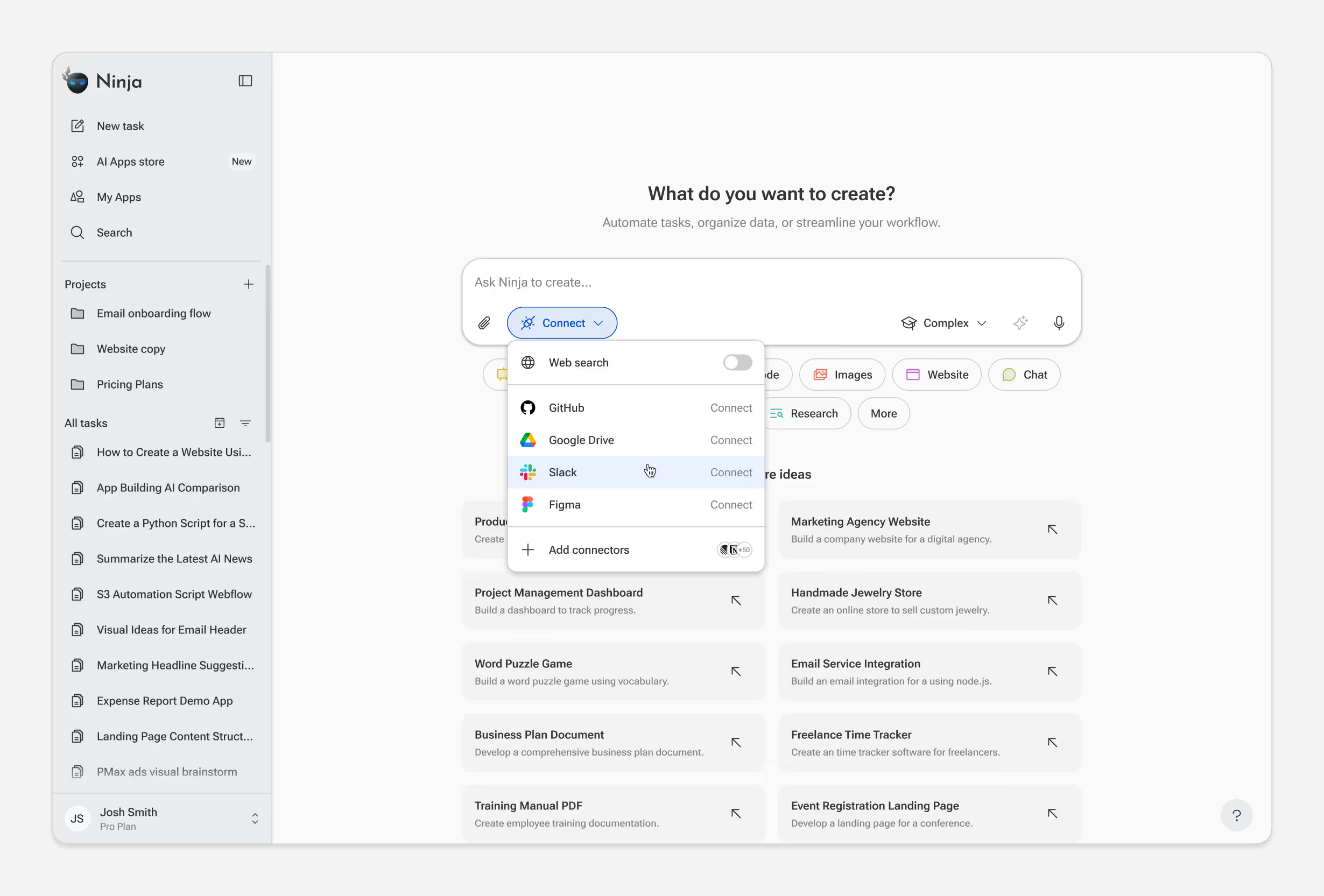
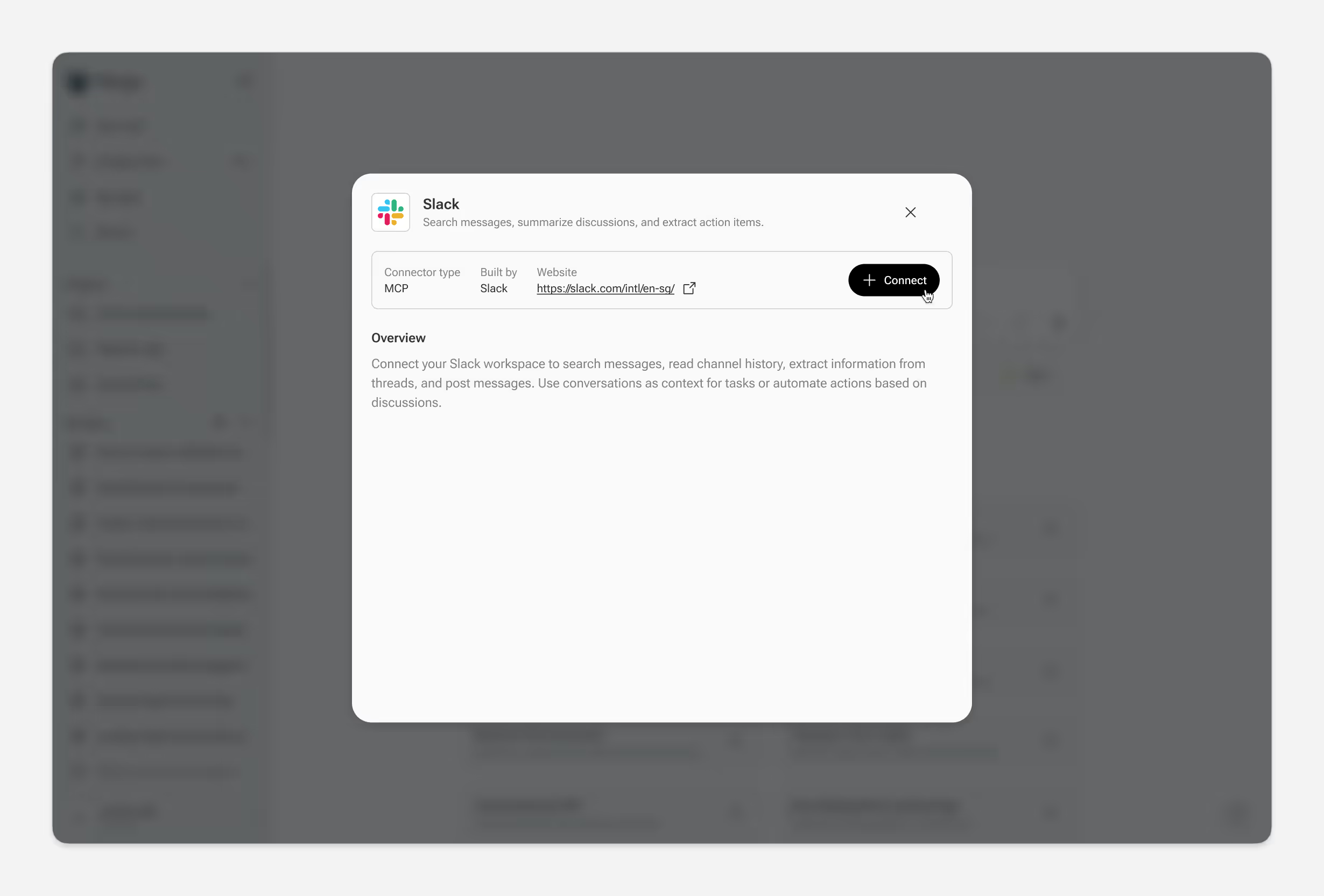
* User authenticates with Slack
Iterations
MyNinja launched in May 2024 and transitioned the product to SuperNinja launched in June 2025. Since then, we've shipped continuous weekly updates based on usage data and user feedback.
Simplifying the Input
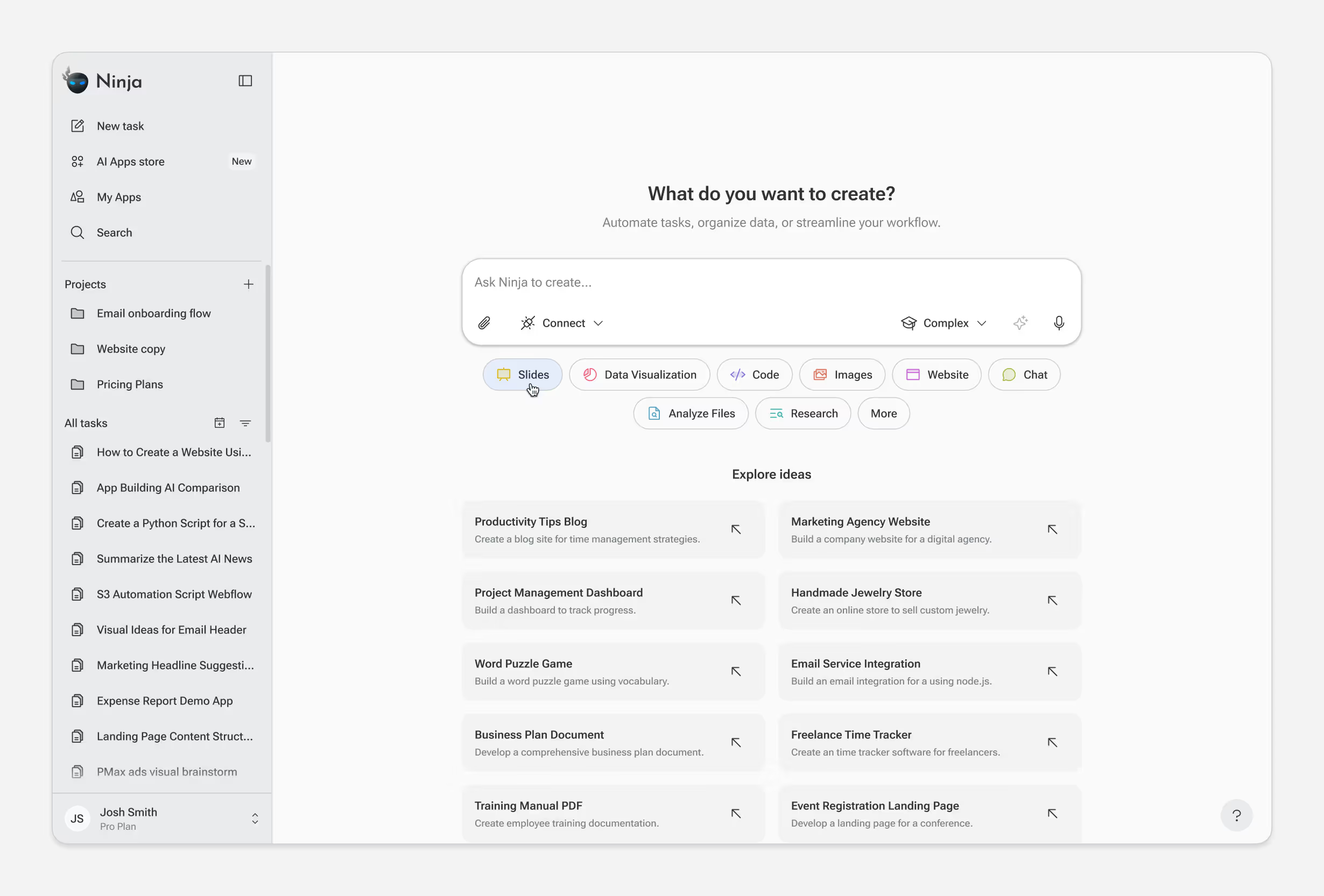
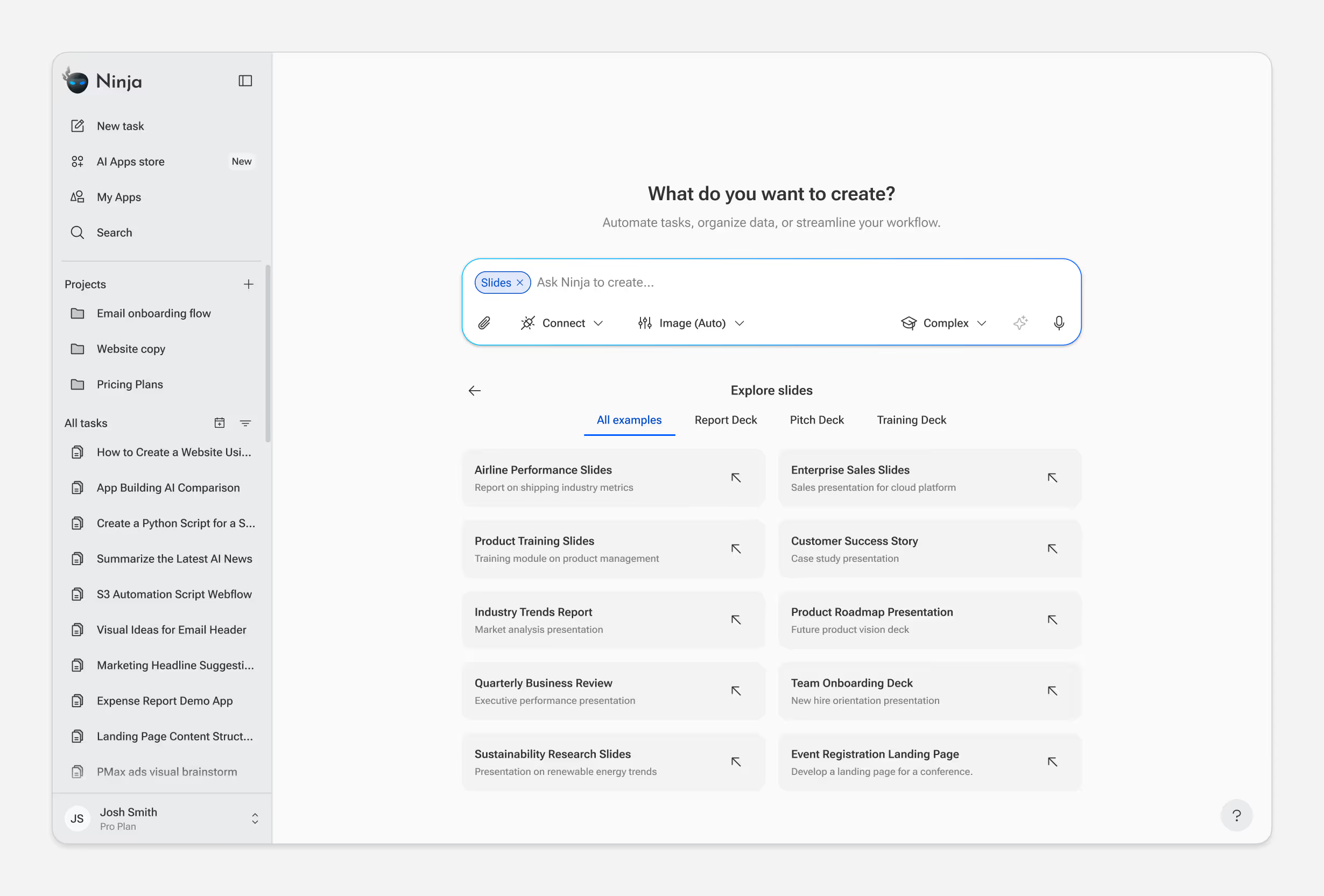
The input box is the primary interaction point — every task starts here. But users need to understand what's possible before they can ask for it.
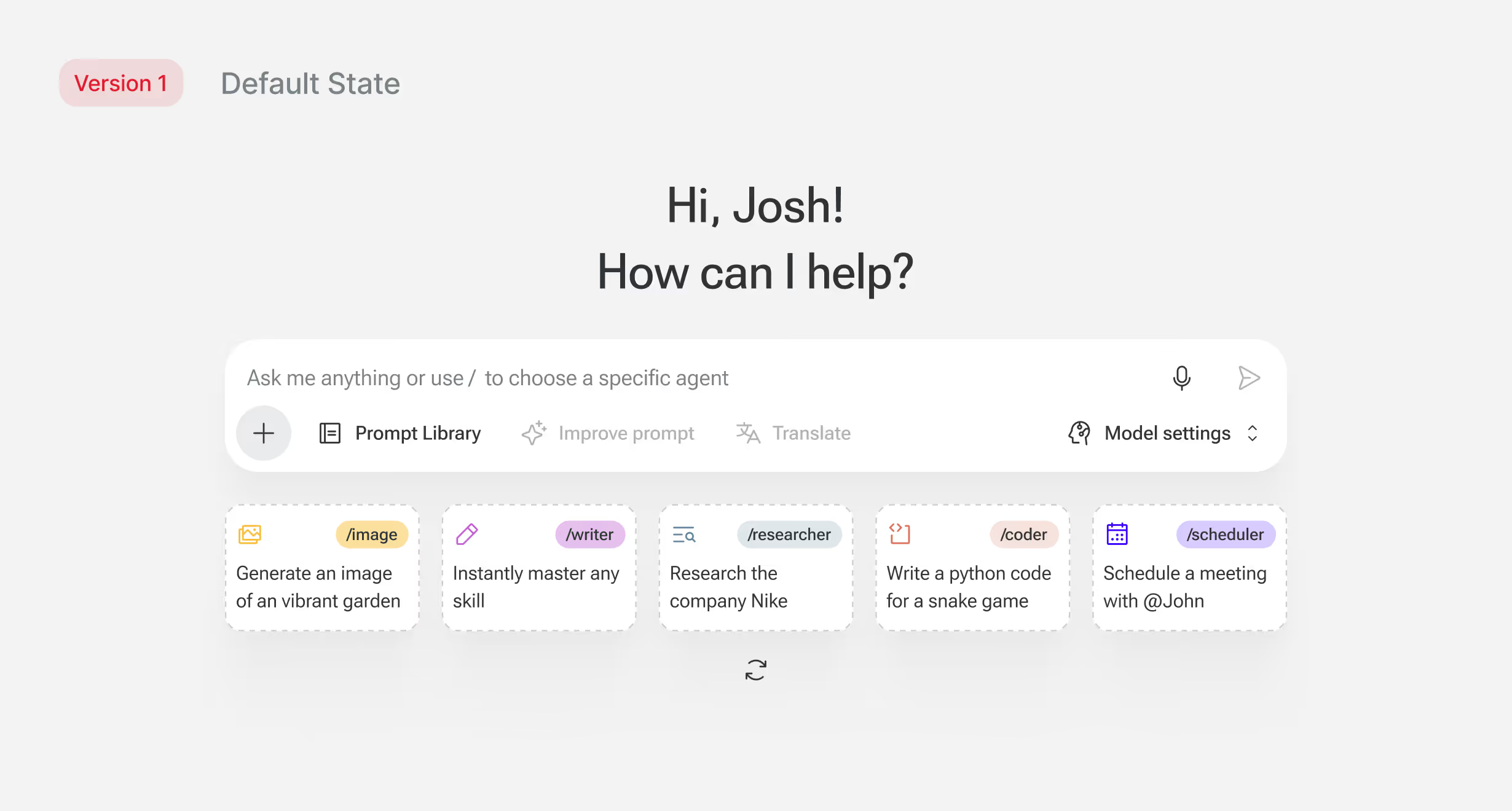
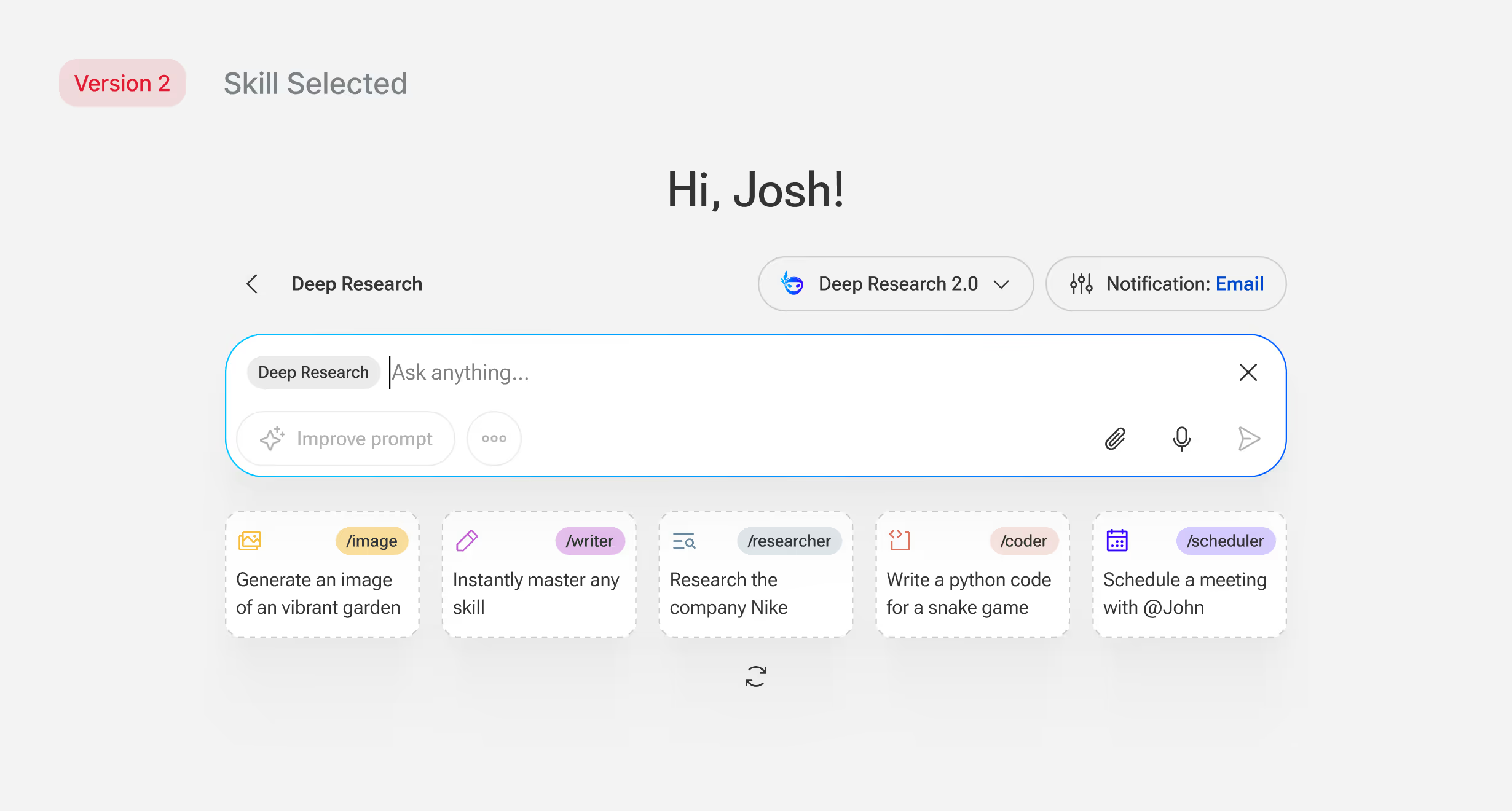
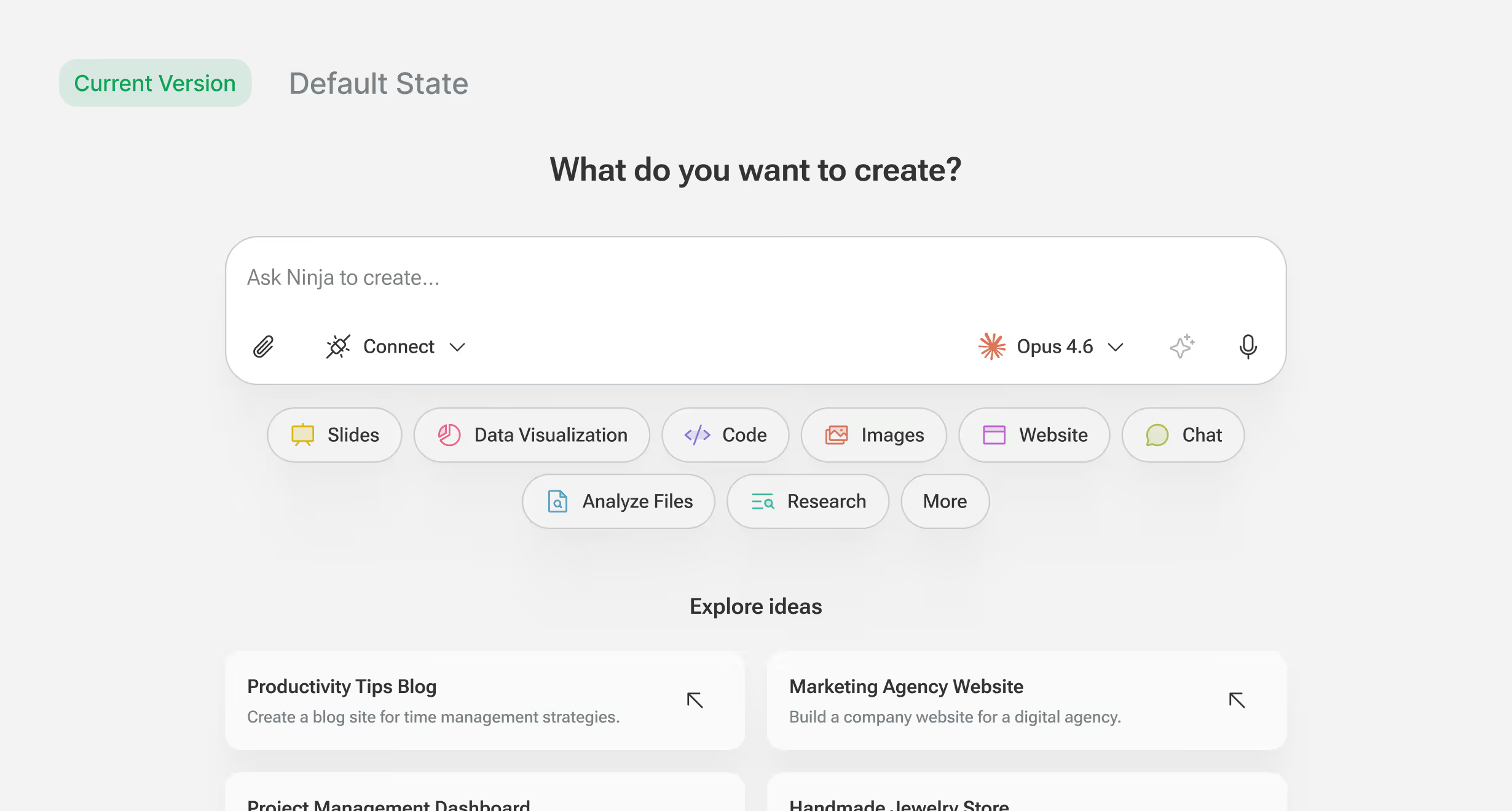
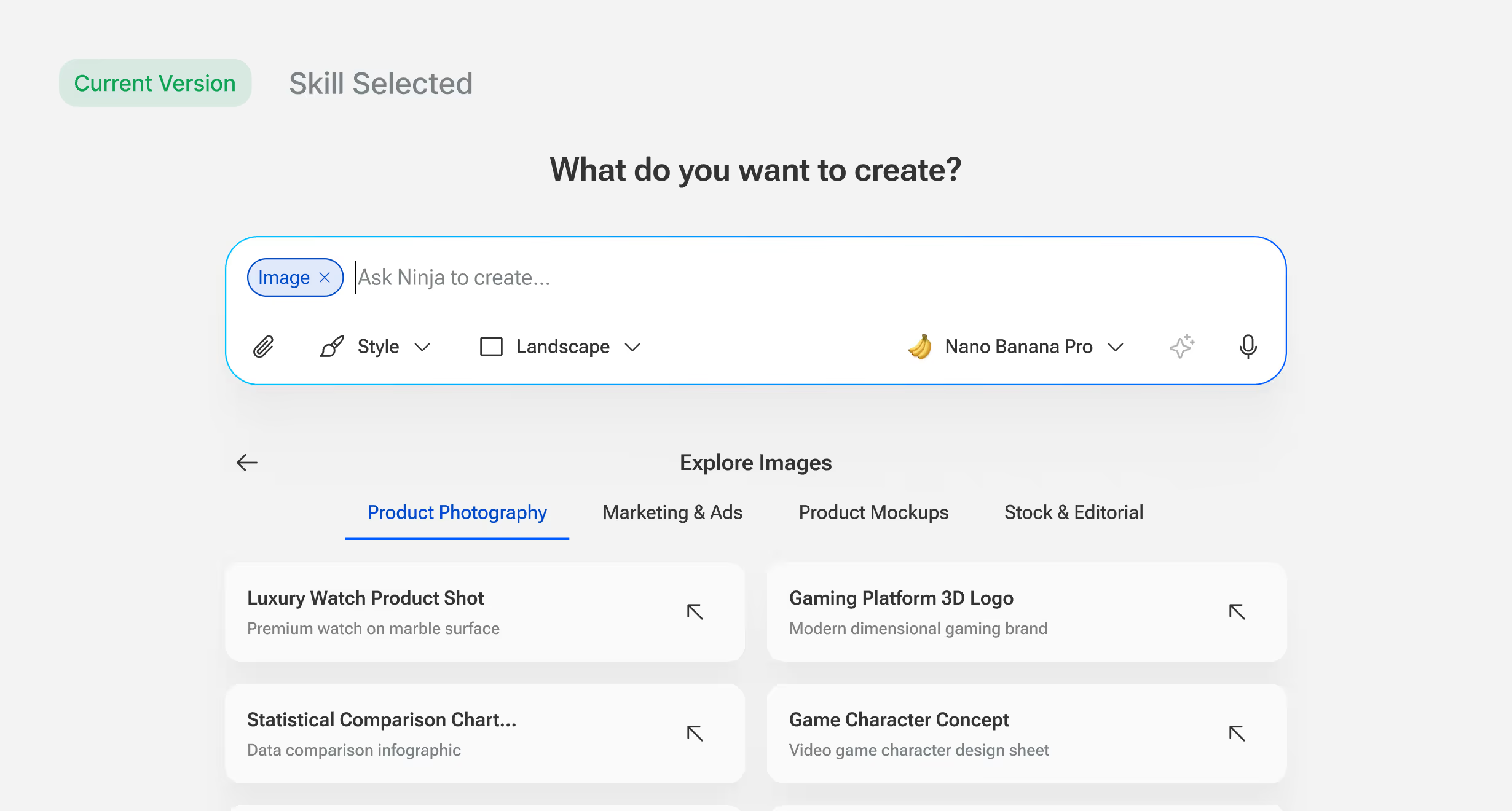
Early versions tried to solve this inside the input: a "/" command system, a Prompt Library button, utility features competing for attention and didn't scale well between screen sizes. Below the input was a row of example prompts but looking at usage data showed almost no one tried them.
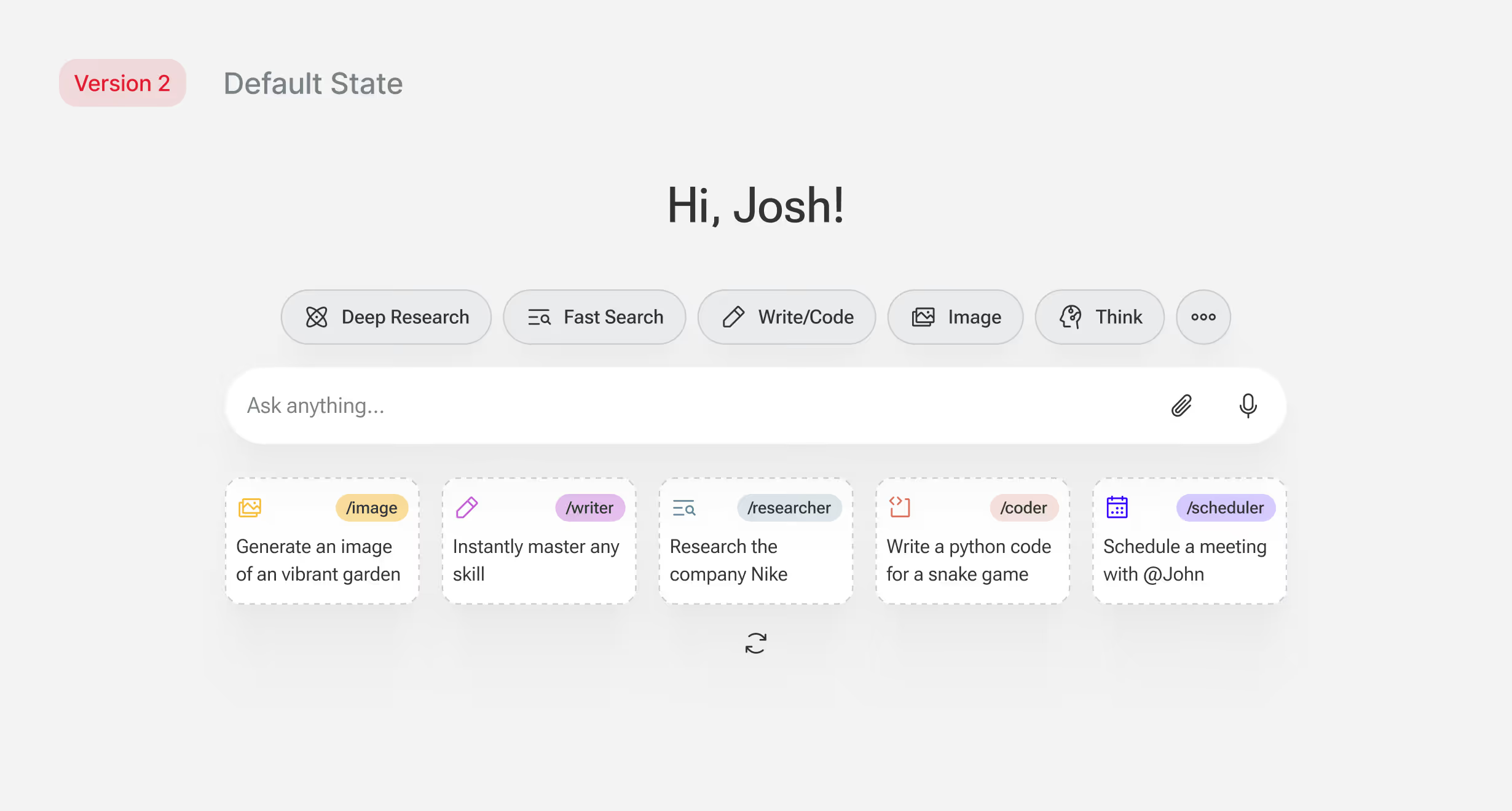
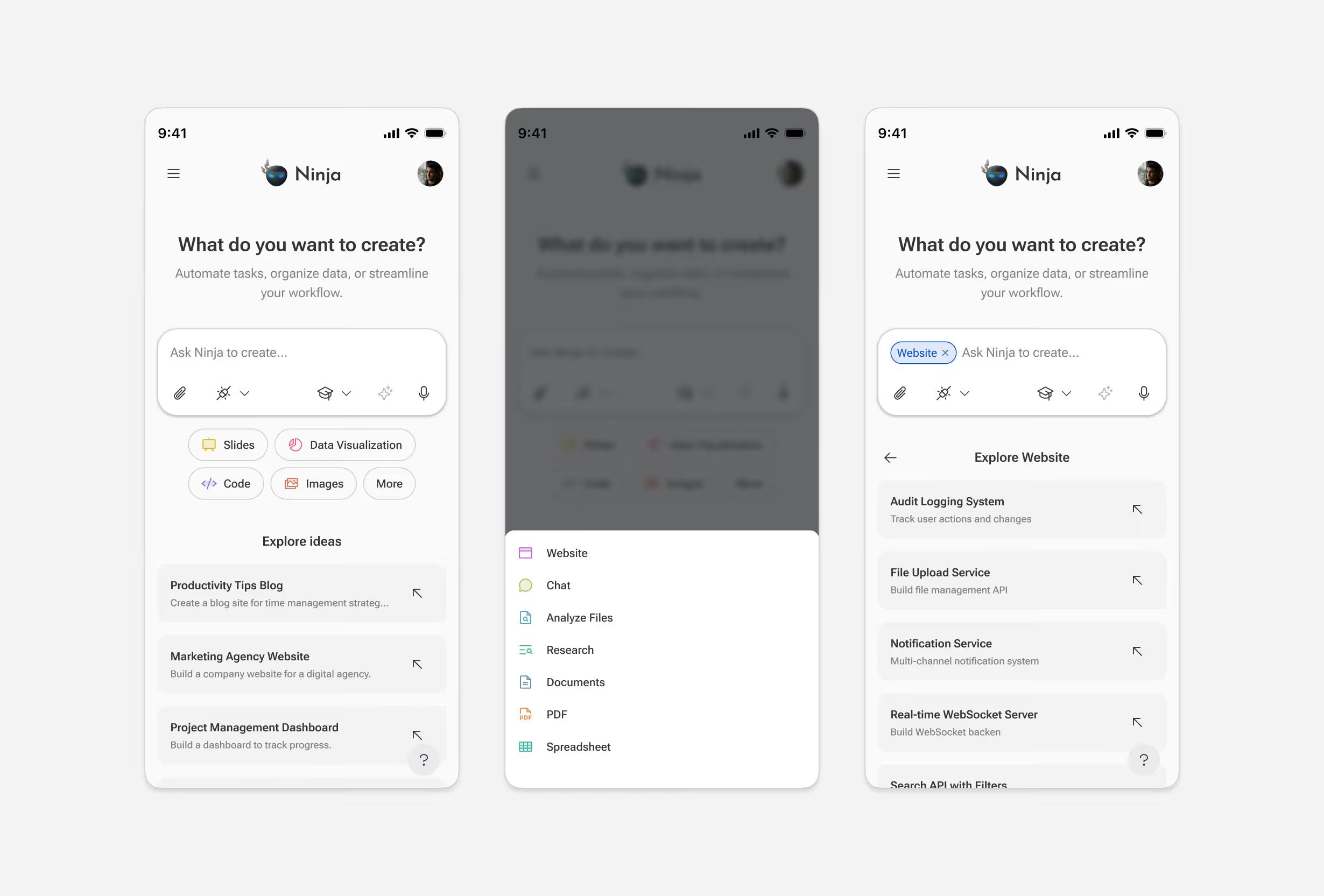
We restructured the approach. Skills like Slides, Code, Research, and Website now appear as chips below the input, immediately communicating what the agent can do. Each chip reveals example prompts for that skill, so users see concrete use cases before typing. The input itself became simpler: a text field with secondary controls for attachments, connections, and mode.
The change took unused space and turned it into a discovery surface. Example prompt usage increased 4-8x after the update.
Restructuring the Navigation
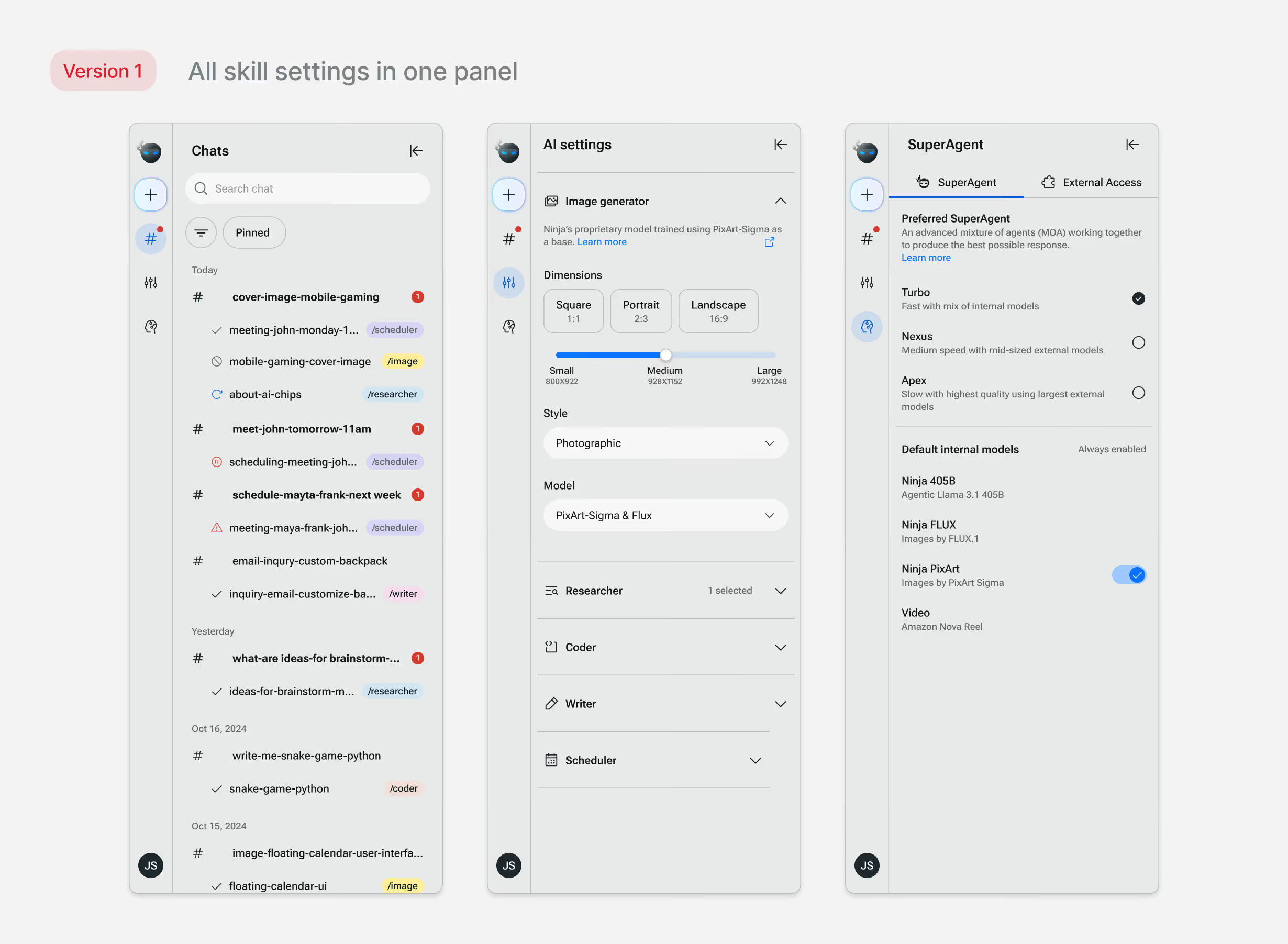
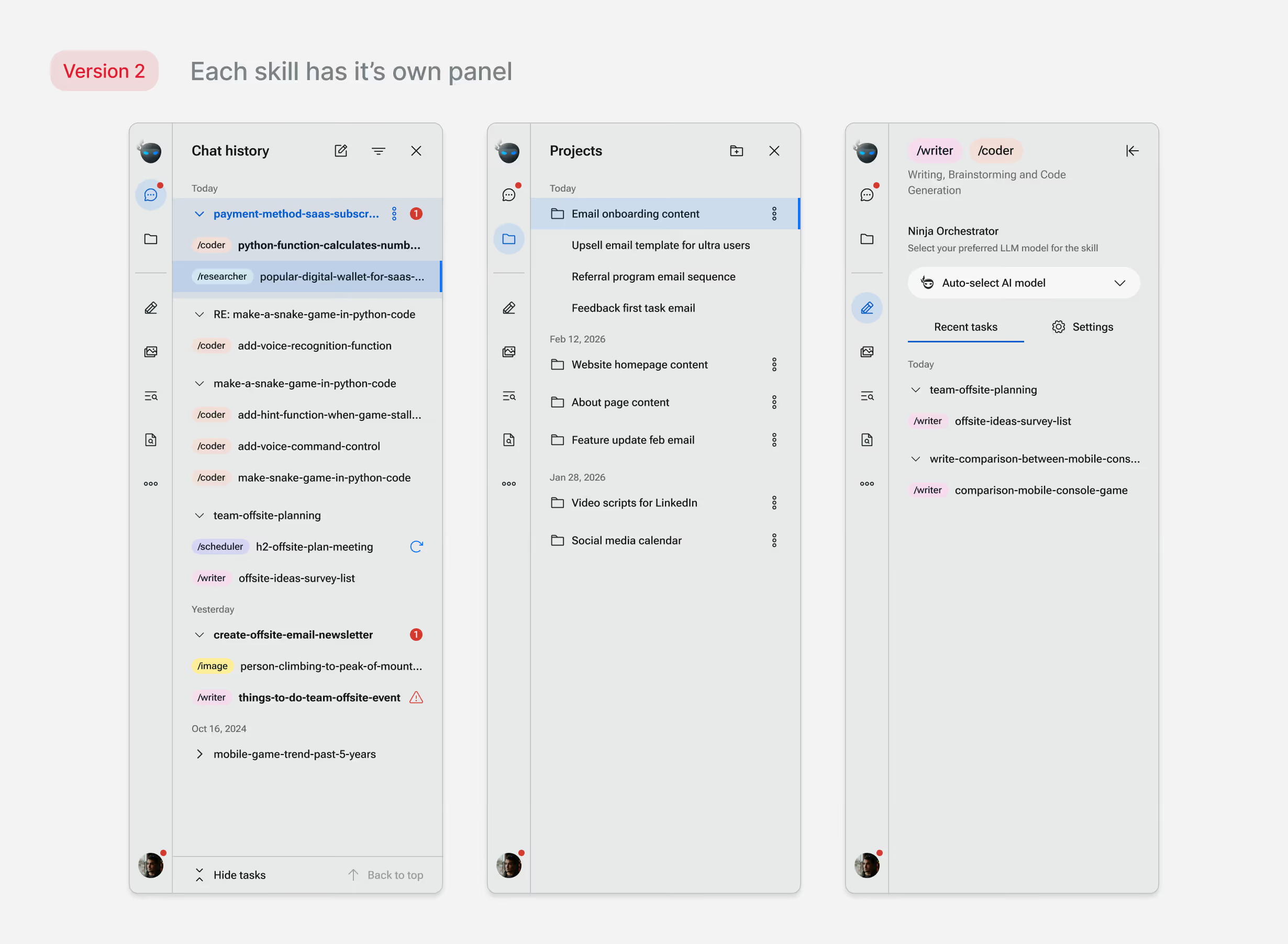
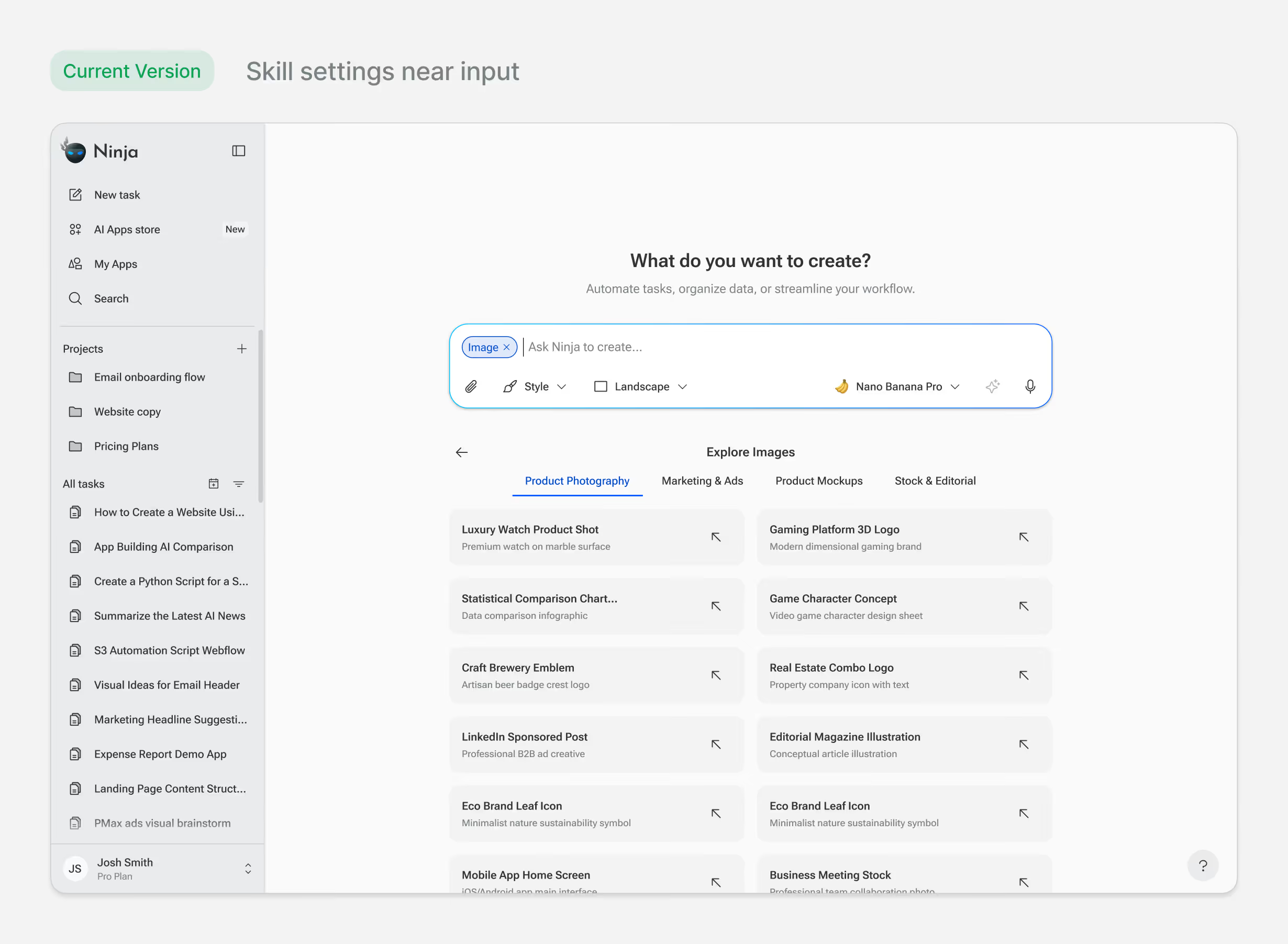
As the product grew, the navigation became inconsistent. The original structure used side panels for different purposes: chat history in one, AI settings in another (image generation, research, coder). Users would adjust settings per task, but those controls lived in a global panel, disconnected from the input. Some users didn't know they could change settings at all.
As we added features like AI App store, projects, memory, the structure broke further. Some panel items were pages, others were settings. The navigation model stopped making sense.
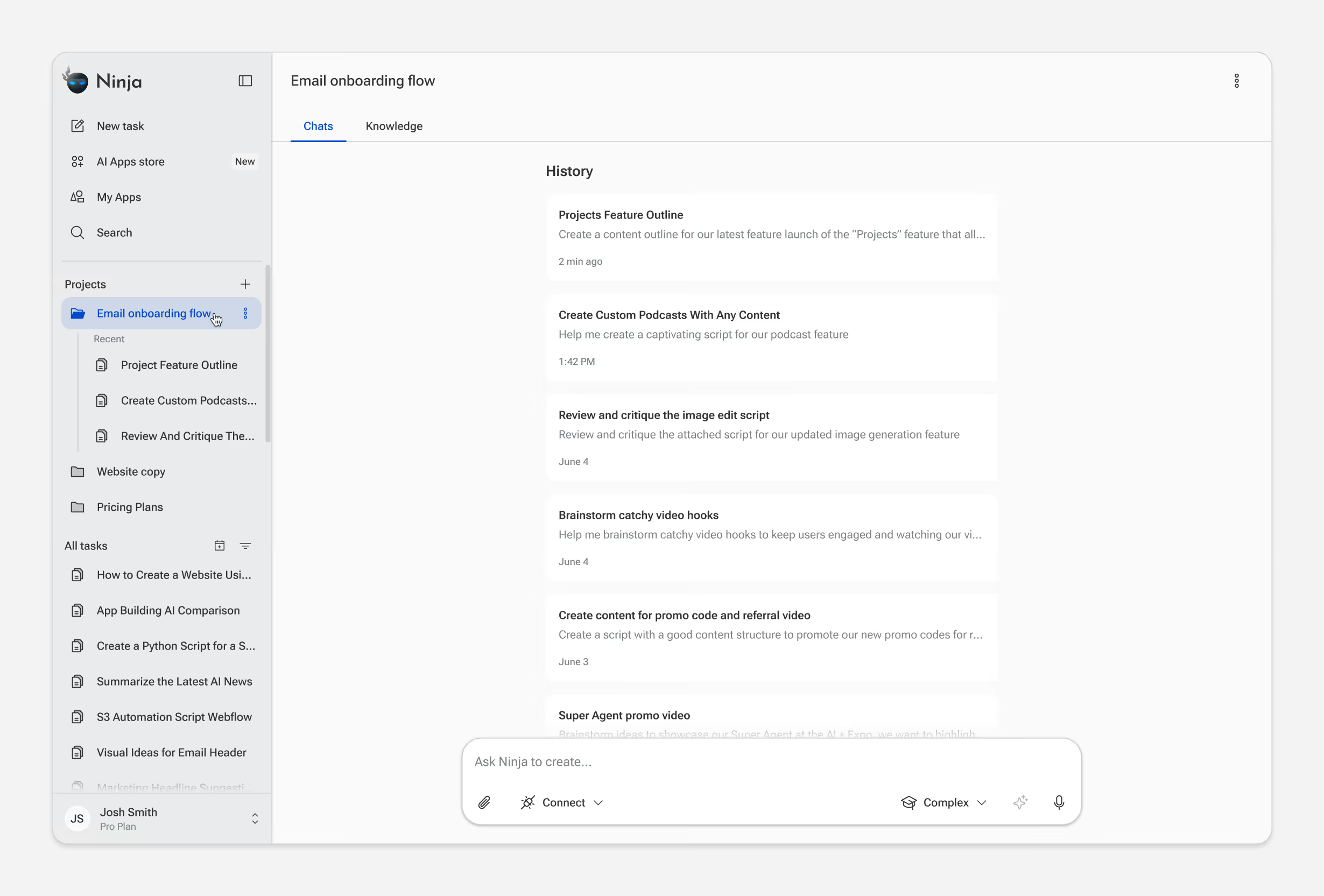
We restructured around two principles: contextual controls belong near the action, and navigation should be consistent. Skill settings became tied to the selected skill, users see their current settings and adjust on a need basis without navigating elsewhere. The side panel became a single navigation surface: pages only, no mixed modes.
We transitioned existing users with in-app explainers on the updated UI. After the change, support tickets about finding or changing settings dropped noticeably.
Final designs
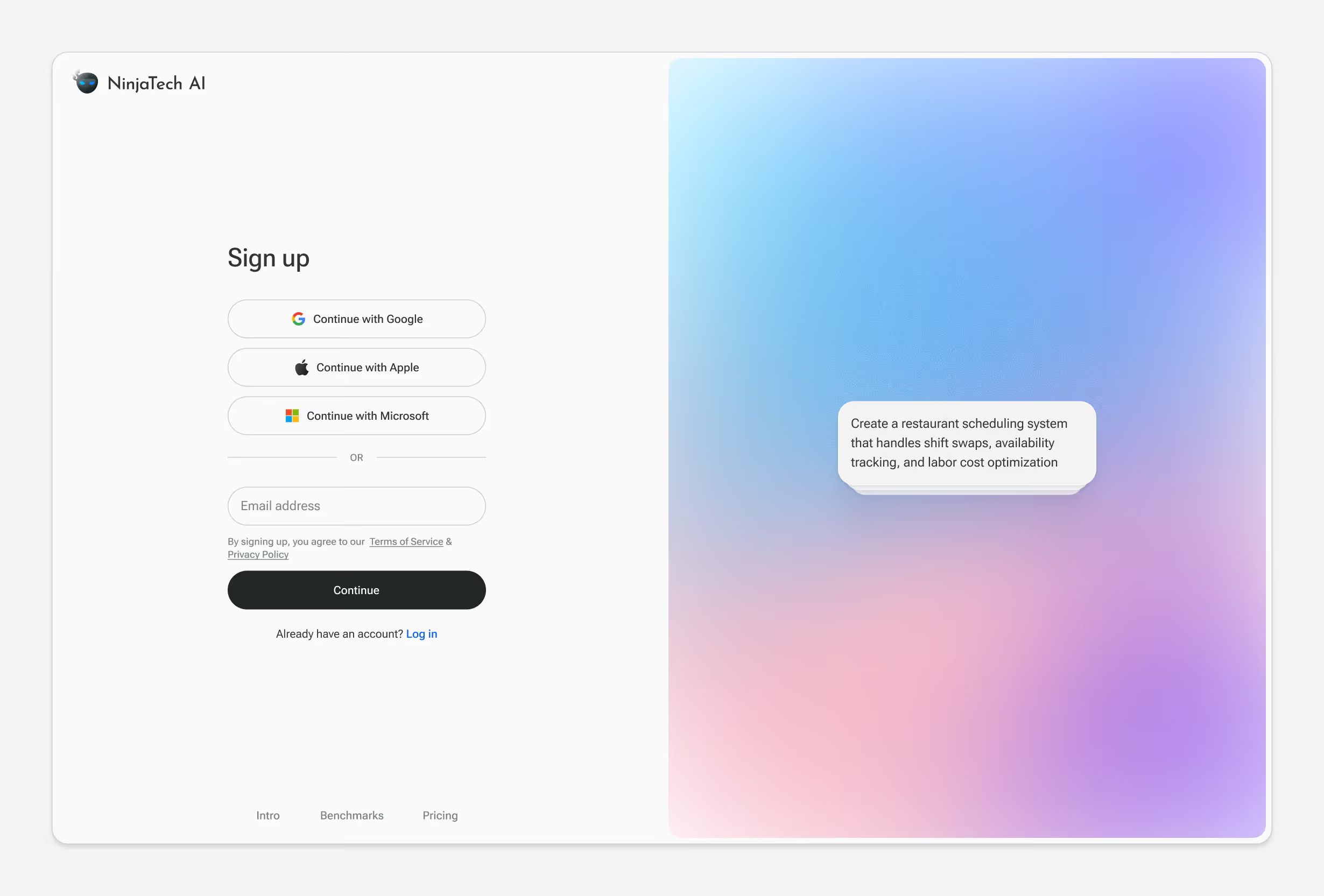
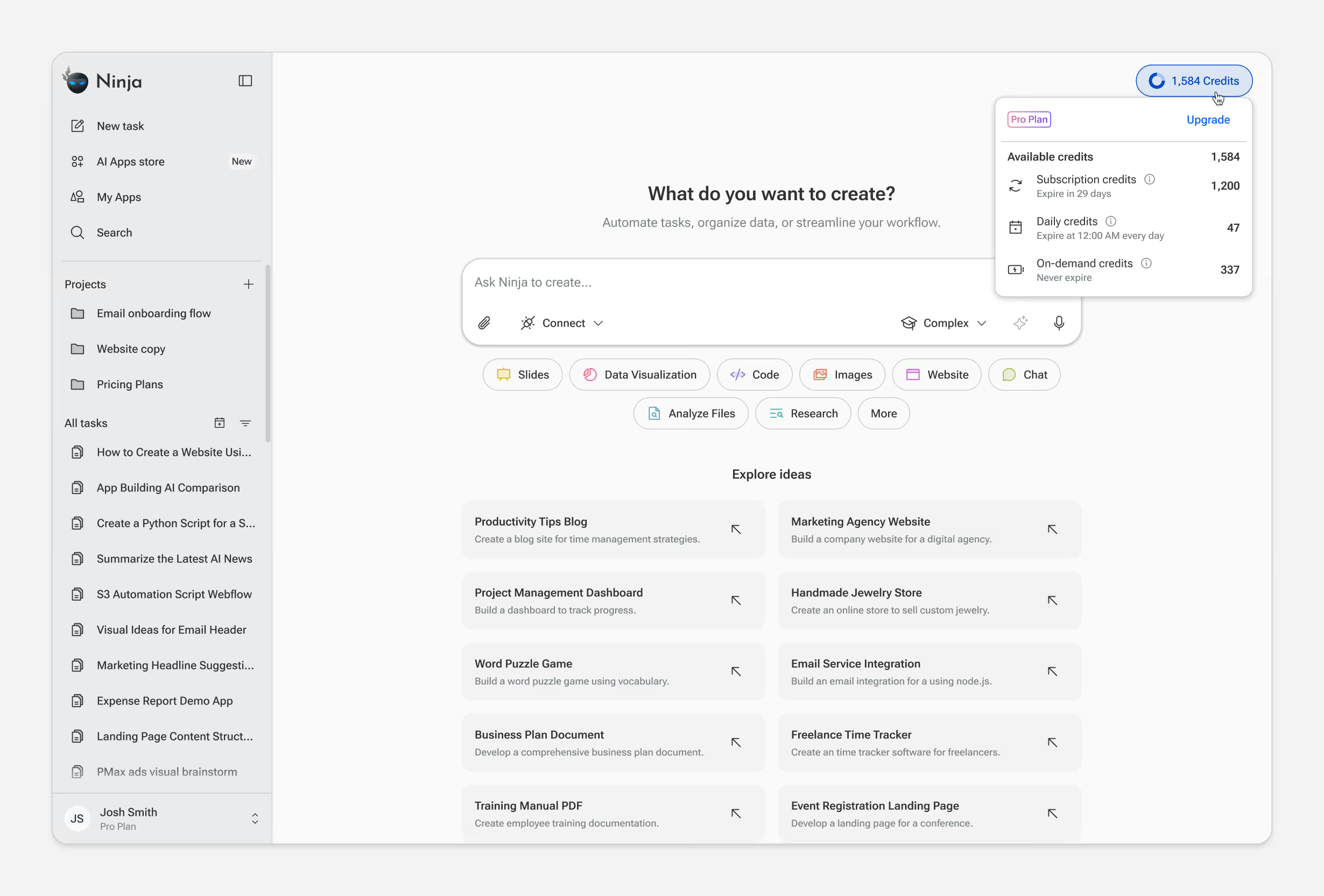
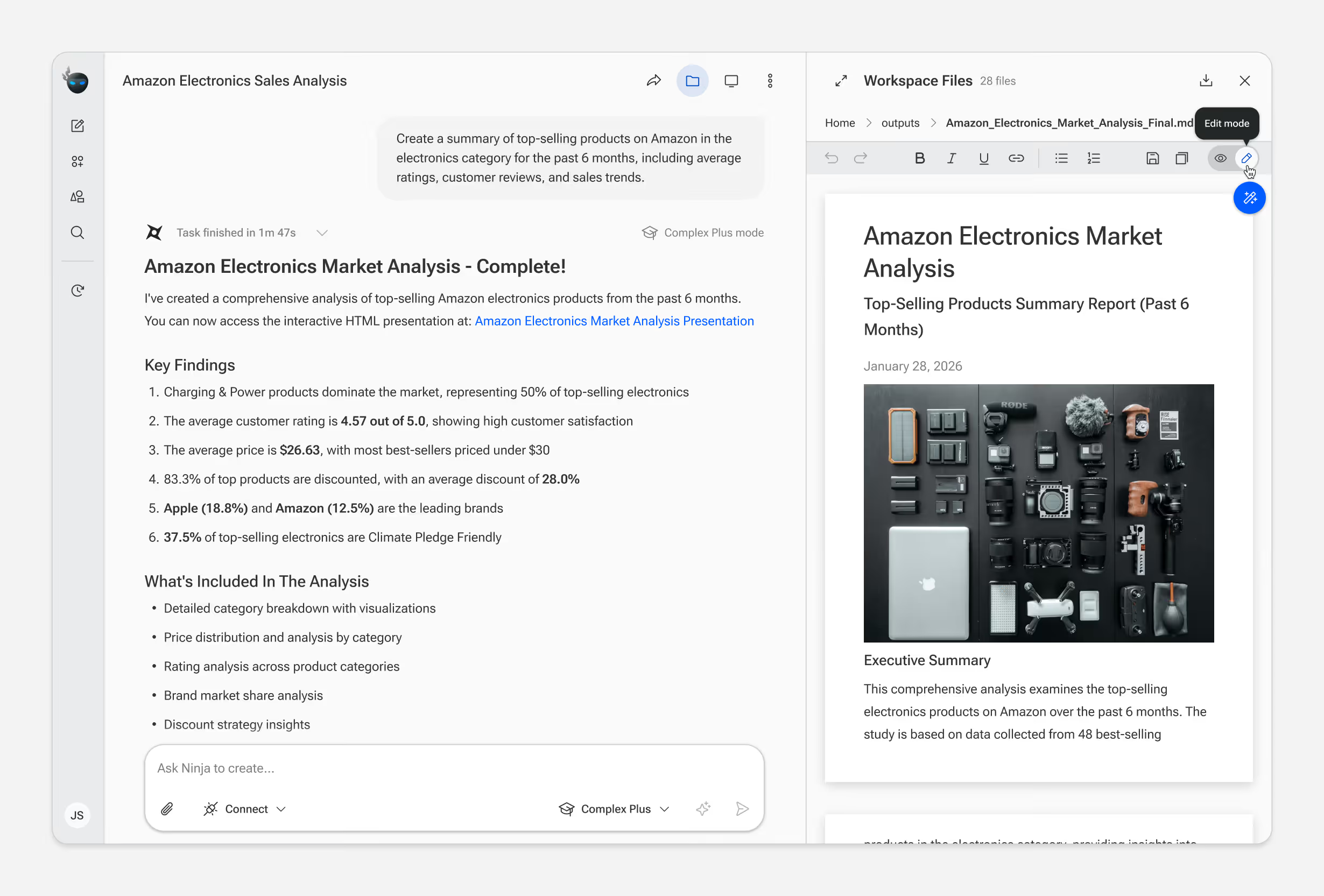
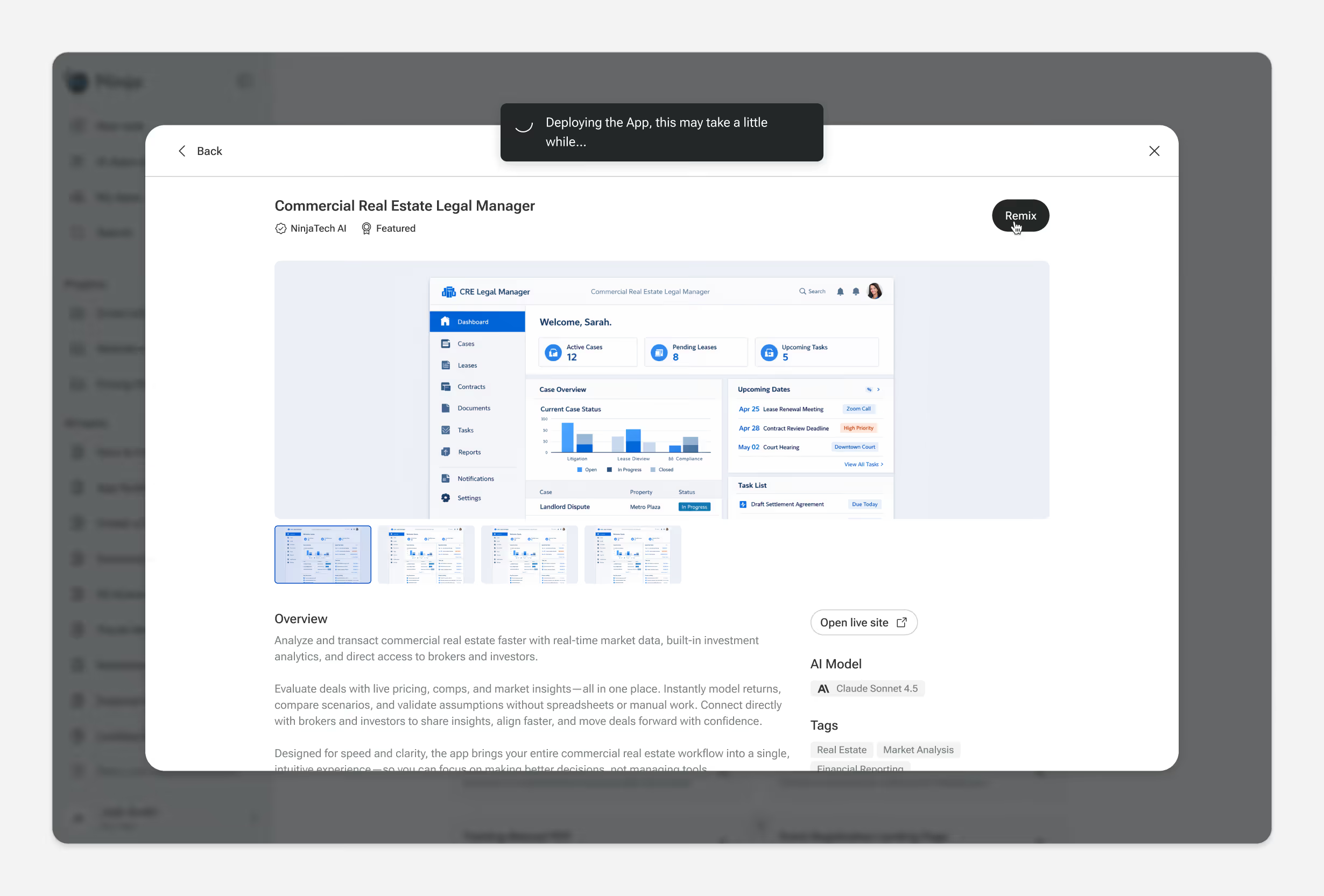
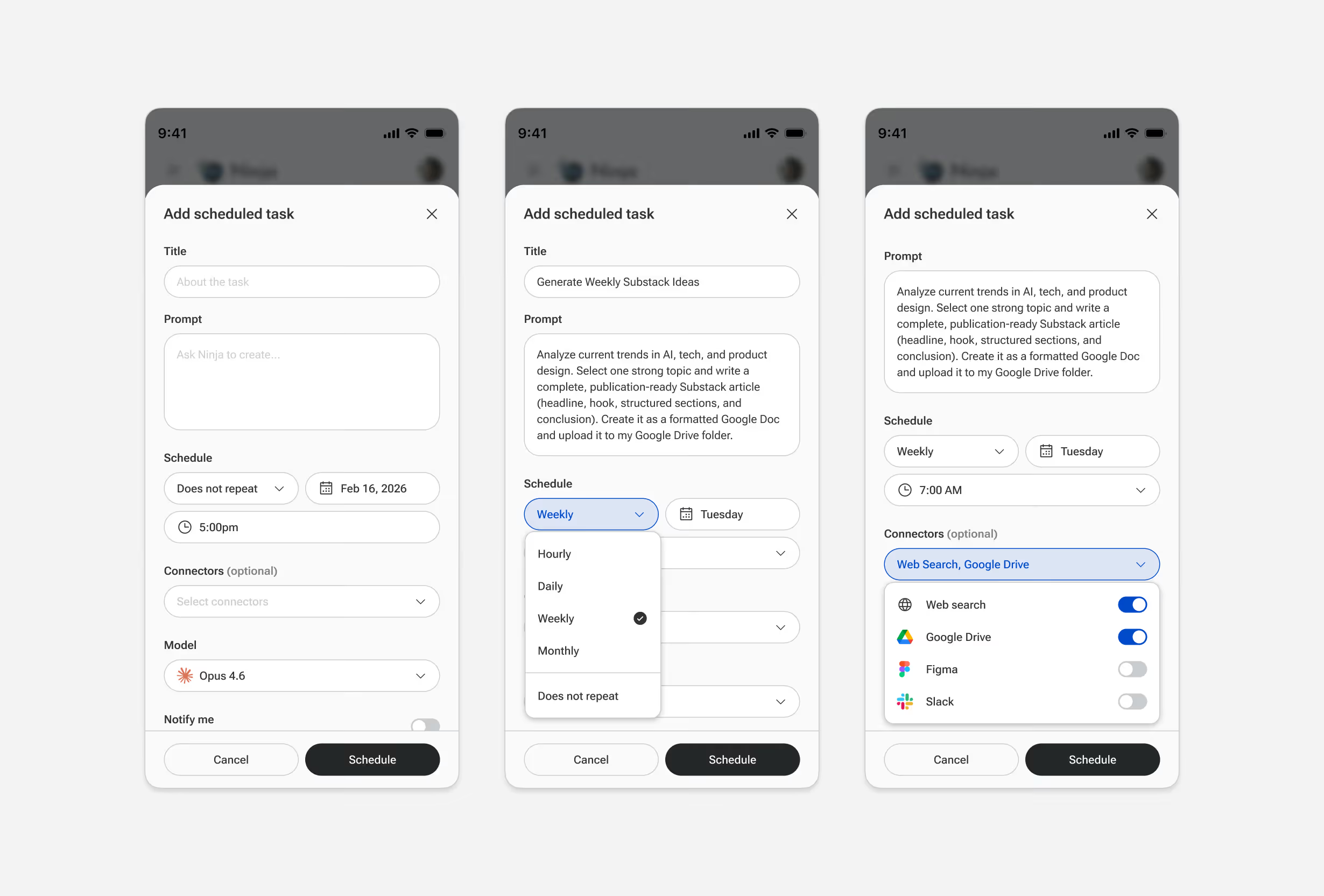
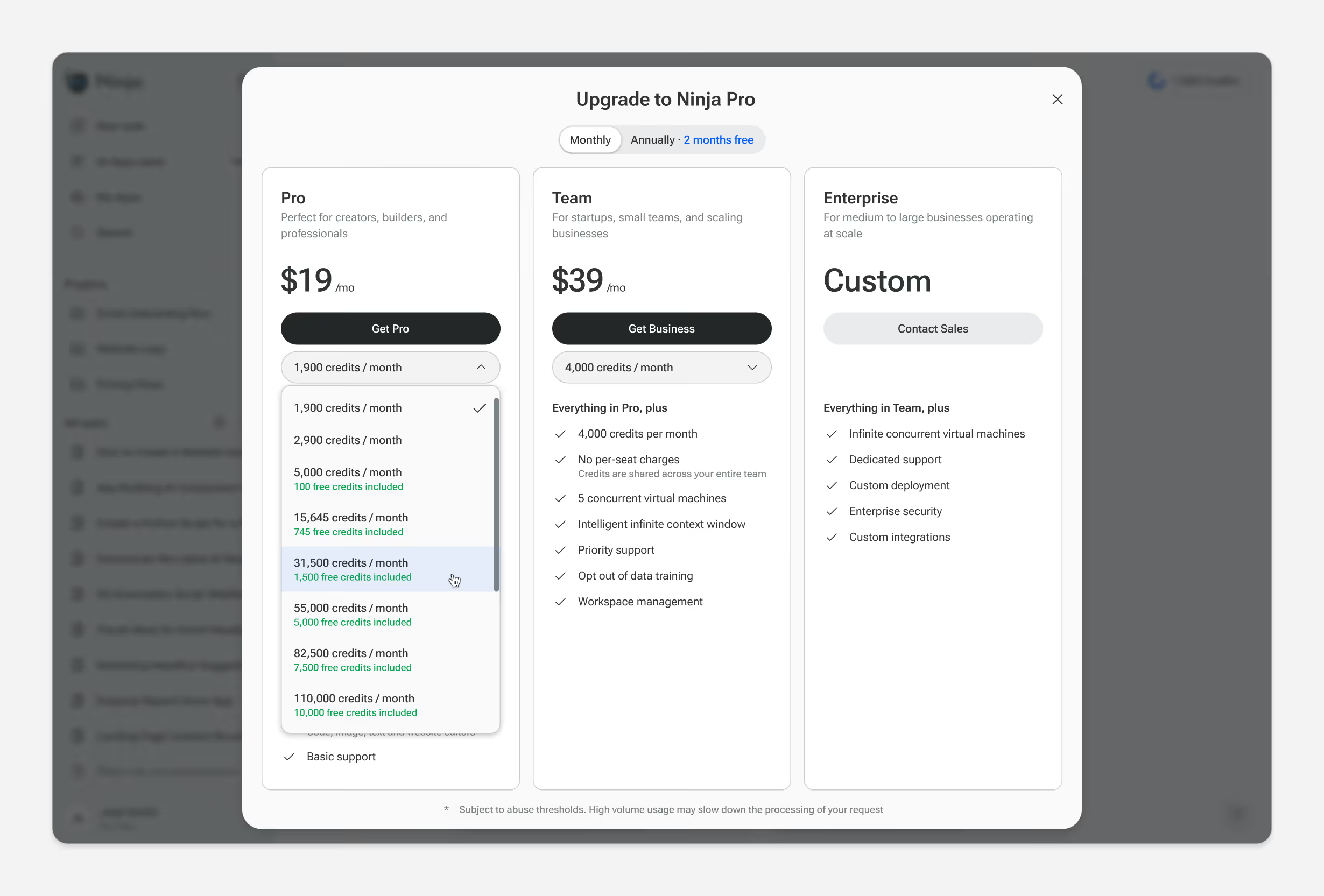
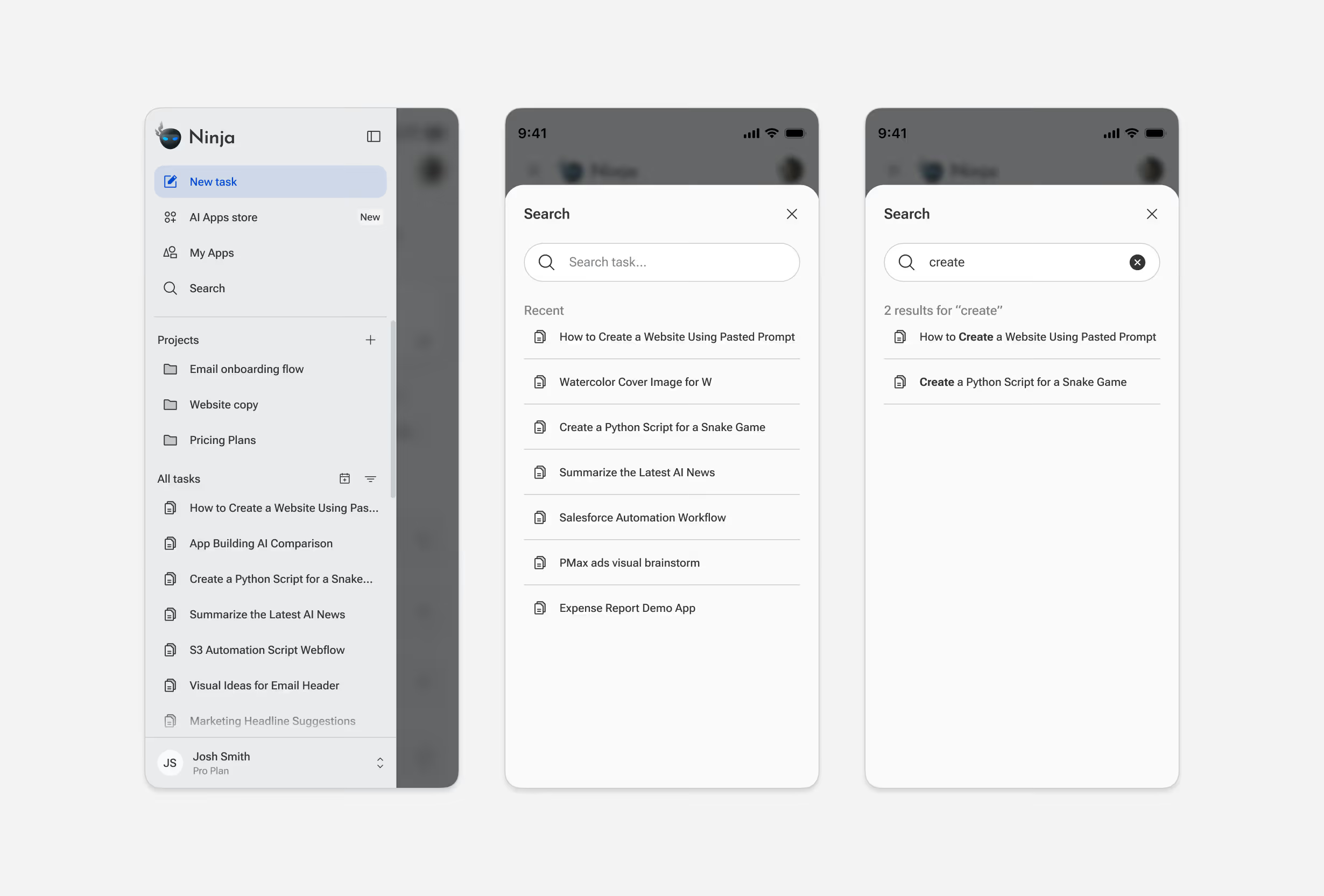
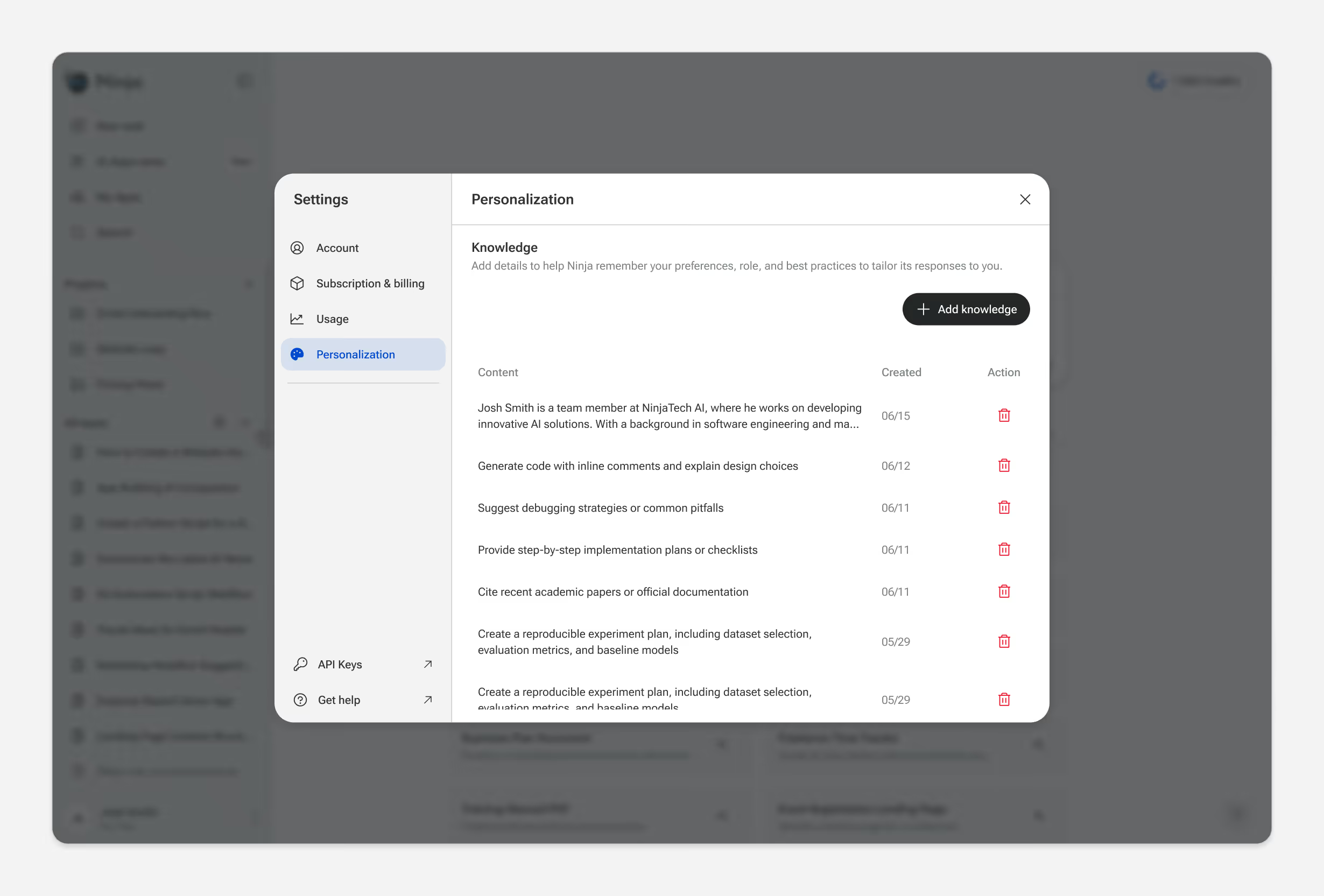
Beyond the core flows, the product spans settings, onboarding, account management, billing, edge cases, and responsive states.
Outcomes
SuperNinja is live with hundreds of thousands of users. More specifically, design decisions moved measurable outcomes:
4-8x increase
in example prompt usage
1.5M
apps created
$3M ARR
within 12 months of launch
The product continues to evolve. Current work focuses on simplifying our pricing structure, moving from fixed task counts to a credit-based model with optional pay-as-you-go. This lets users run complex, long-running workflows without hitting a wall mid-task. The design challenge is building guardrails around spending while preserving the autonomy the product promises.
Reflections
Two years of shipping features and updates on a bi-weekly basis taught me a few things:
Ship to learn, not to perfect
Live usage taught us more than upfront polish ever could. We shifted to shorter cycles, getting features in front of users faster and iterating based on real data.
Maintain the system in code, not just in Figma
Engineers weren't checking Figma for every button state or little detail. We started maintaining the design system in code, which became a massive velocity boost. The source of truth lived where it mattered most.
Document decisions, not just designs
Two years of iteration means context gets lost. I've started keeping a lightweight decision log. It helps onboard new team members and makes revisiting past tradeoffs faster.